26
CONSOLESETUP
ConsoleDefaultSettings
ThisunitisshippedwiththedefaultvaluesappropriatefortheU.S.market.
Setting Default/FactorySetting AvailableSettings
Units English English,Metric
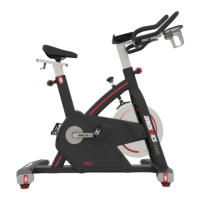
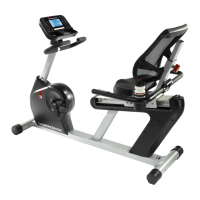
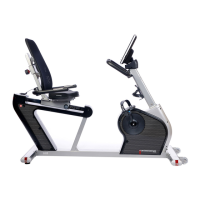
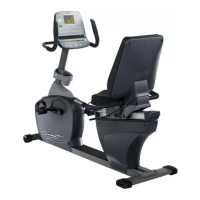
Model Willmatchthecurrentunitmodel 910Er,910Sr,910Ub
Sound On On,Off
Backlight High High,Low
DemoMode On On,Off
ConsoleSetupLaunch
Iftheuserwouldliketoupdatethedefaultvalues,pressingtheUPandDOWNarrowskeyssimultaneouslyfortwo(2)secondswilllaunchthe
ConsoleSetupmode.
UnitsSetup WhentheConsoleSetupmodeislaunched,“SetUnits”willpostinthelowerdisplayfield.“English”or“Metric”will
flashintheMatrixDisplay,dependinguponcurrentsetting.UsetheUPorDO
WNarrowkeystoscrollthroughthe
availablesettingsandpresstheENTERkeytoselectthedisplayedoption.PressENTERtolaunchtheModelNumber
Selectionsmode.Changingtheunitswillerasealluserdata.
ModelNumber “SetModelNum
ber”willpostinthelowerdisplayfield.“910Sr”,“910Ub”or“910Er”willflashintheMatrixDisplay,
dependinguponcurrentsetting.Confirmthemodelnumberofyourunit.UsetheUPandDOWNarrowkeystoview
theavailablesettings.Whenthecorrectmodelisdisplayed,pressENTERtoselec
tandlaunchtheSoundSettings
mode.
SoundSettings “SoundSetting”willpostintheLowerDisplay.“Sound”willalsopostintheMatrixDisplay,followedbyaflashing
“On”or“Off”toindicatethecurrentsetting.ScrollbetweenthetwosettingsviatheUPandDOWNarrowkeys,
pressingtheENTERkeytoconfir
mtheselectionandlaunchthe BacklightSettingsmode.
BacklightSettings “BacklightSetting”willpostintheLowerDisplay.“Backlight”willscrollonceintheMatrixdisplay,followedbya
flashing“High”or“Low”toindicatethecurrentsetting.ScrollbetweenthetwosettingsviatheUPandDOWNarro
w
keys.ConfirmthesettingbypressingtheENTERkey.DemoModeSettingswilllaunch


 To Next Page