HI, MI, WI-700 service manual - 3 – routine maintenance
3-3 Issue 9 04/2020
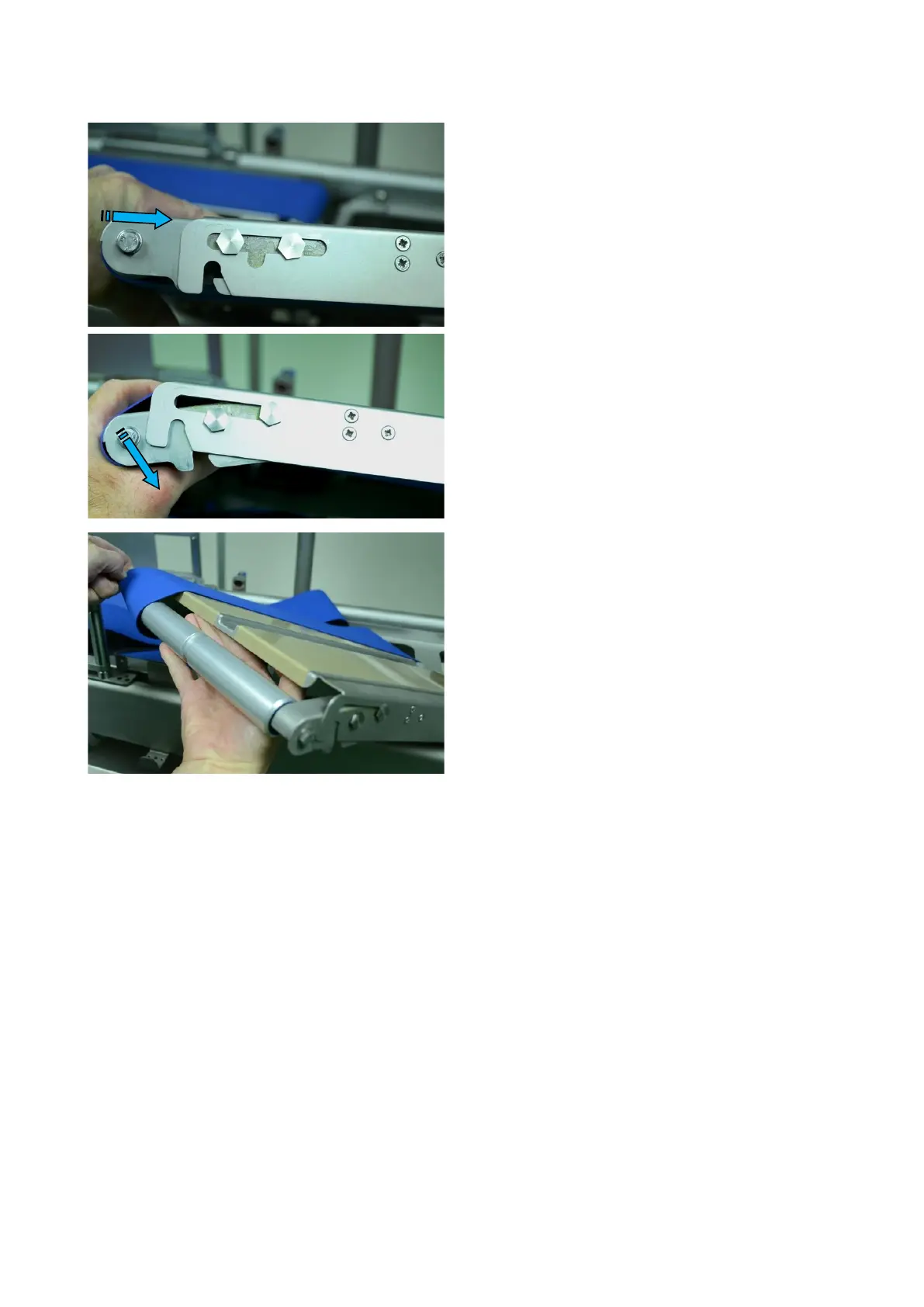
With the conveyor out of the frame, press the idler
roller inwards until it clicks into the recess, which will
hold it in this position.
With the conveyor in this position, the belt can be
removed for cleaning or replacement.
When the new or cleaned belt is replaced, the
conveyor assembly can be clicked back to its original
position.
The conveyor can now be replaced into the machine.
Replace in a similar way to removal.
Locate the drive end onto the locating pins; lift the
conveyor belts at the idler end and lower conveyor
onto pins. Release tension on belts and check
conveyor is correctly located on all four pins



 To Next Page