HI, MI, WI-700 service manual - 2 - component parts
2-34 Issue 9 04/2020
Touch screen - 12.1’’
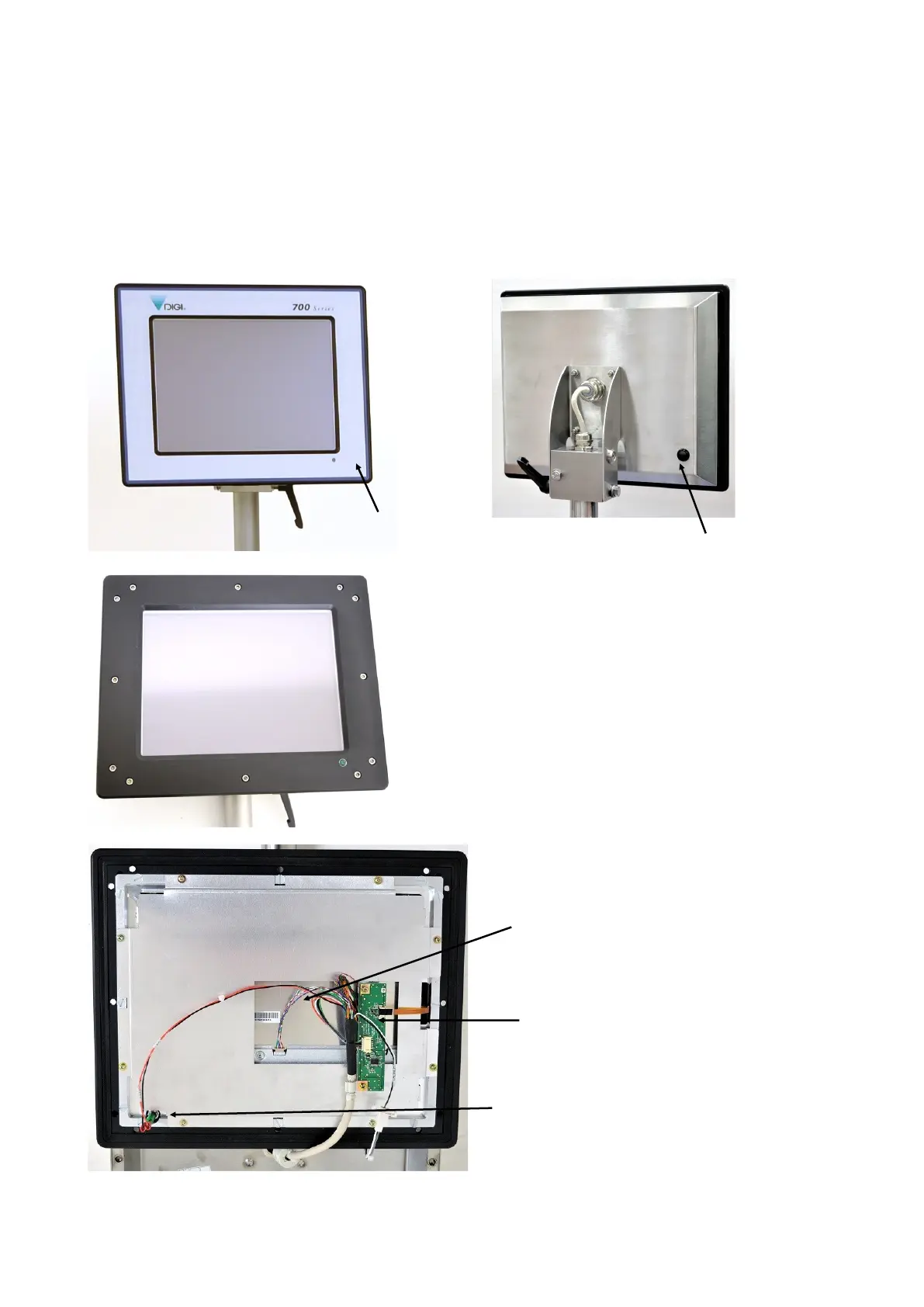
The colour touch screen on the 700 series machine with LV-67P main board is made up of:
• 12.1 LED TFT screen
• Touch panel – 12.1 Fujitsu touch panel
• Electronic board - assy USB touch PCB
• Launch button
Launch button for starting PC (rear
of screen assembly).
LED screen.
With touch panel below
Electronic board - assy USB touch PCB
To gain access to the rear of the screen assembly, the
screen surround will need to be removed. This will expose
the 12 cap head screws which need to be removed to allow
the black surround to be lifted from the rear cover.
Refer to detailed maintenance section for dismantling of
touch screen assembly and re-calibration of touch panel
Screen surround
Green LED - power on indicator



 To Next Page