HI, MI, WI-700 service manual - 7 – fault finding
7-13 Issue 9 04/2020
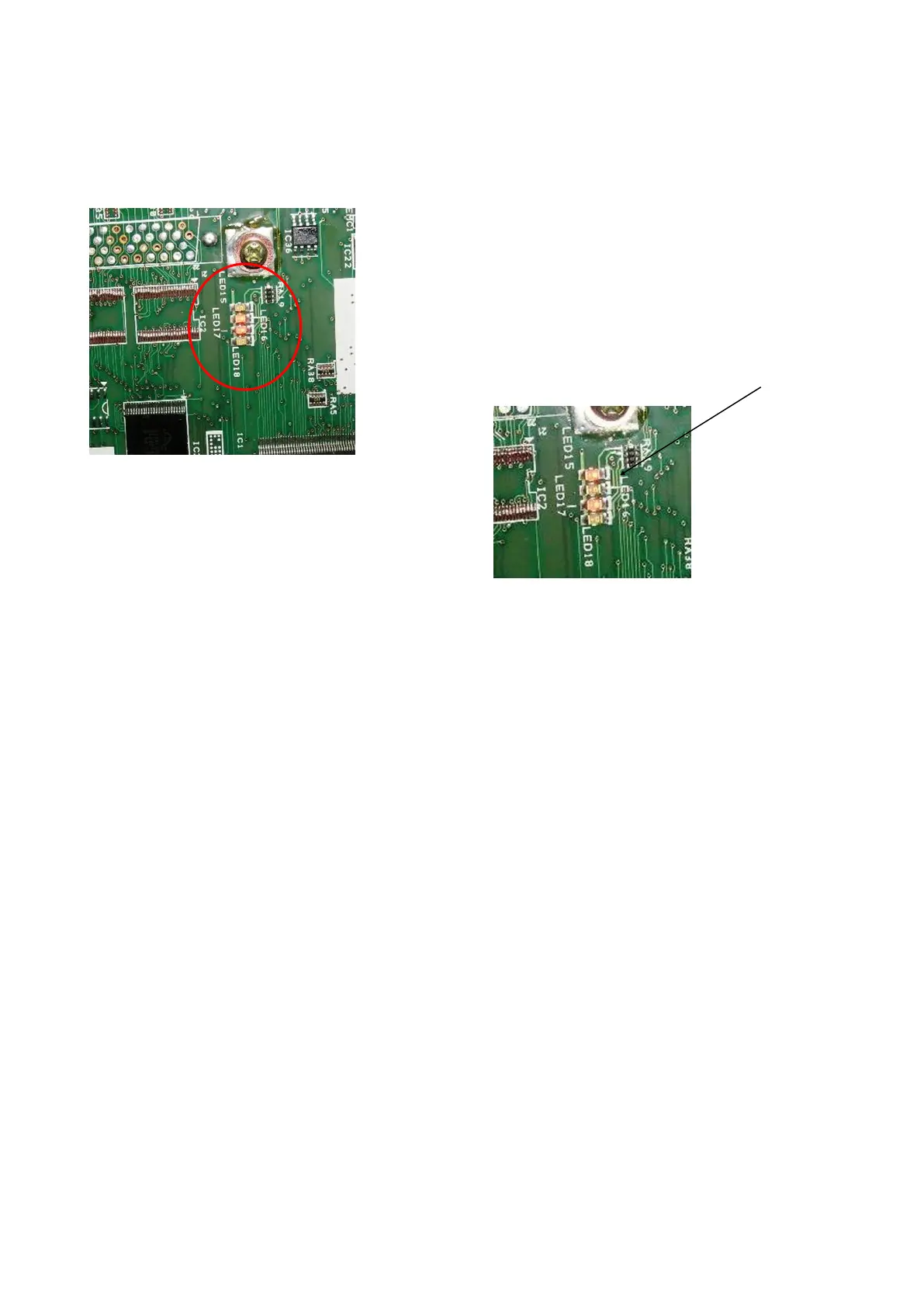
LABELLER BOARD LED’S
When viewing the labeller, the following should occur on start-up of the machine.
Board in operation:
The following list is an identification of these LED’s status:
With the board in operation in the 700 machine, the 4 LED’s on the board (15, 16, 17, and 18) will display
their current function, i.e. - if an error occurs, the LED (s) can indicate the error.
LED 15 = listen socket error
LED 15 + 16 = cannot set interface
LED 16 = cannot open interface
LED 17 = TCP server error
LED 16 + 17 = waiting for TCP connection
LED 15 + 17 = TCP connected
LED 15 + 16 + 17 = waiting for free mailbox slot
LED 18 = data waiting in output slot (to pc console)
All flash = wrong software loaded into CPU
All steady = waiting for CPU synchronisation.
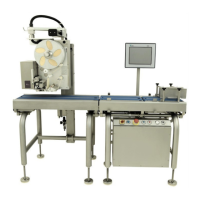
The LED’s in the middle of the labeller board are:
LED15
LED16
LED17
LED18
When the machine is powered on at the isolator (software not
started yet) LED16 & 17 should be on.
When the software is running this should change to LED 15 &
17



 To Next Page