HI, MI, WI-700 service manual - 4 –servicing
4-40 Issue 9 04/2020
Calibration of touch screen - 15'' version
If the touch points on the screen are not matching with where you are touching the screen, the screen may
need to be calibrated.
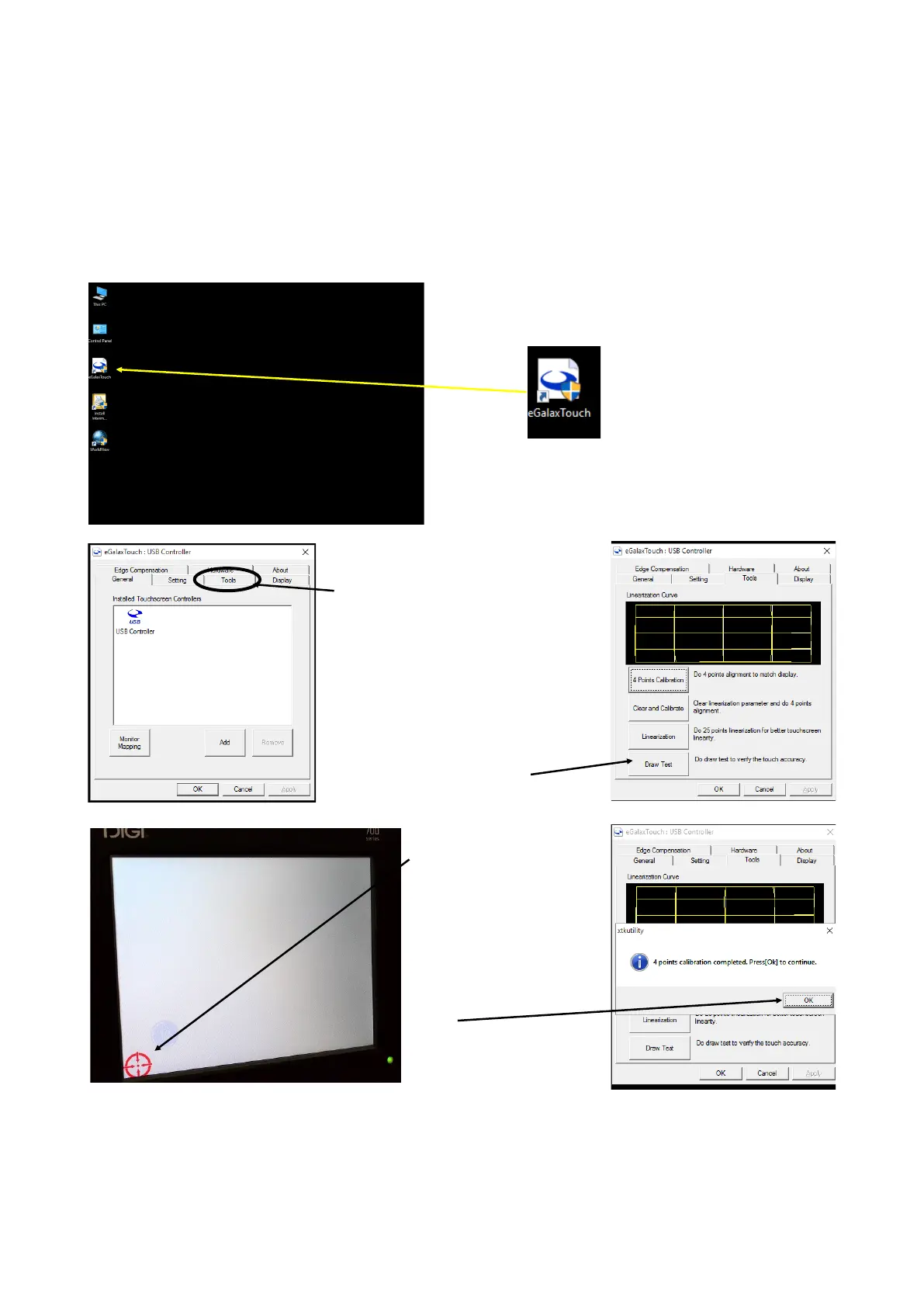
With the machine switched on, exit to Windows® level
On the desk top, click on the icon
‘eGalaxTouch’
On the eGalaxTouch : USB
Controller screen select the Tools
tab
The required calibration can be
selected
When calibration is complete, a
Draw test feature can be used to
check the screen accuracy
Touch each point that
appear in the red circle
within the time allowed for
the number of calibration
points selected
When calibration is
complete, touch OK to
finish



 To Next Page