HI, MI, WI 700 service manual - 1 - Installation
1-23 Issue 9 04/2020
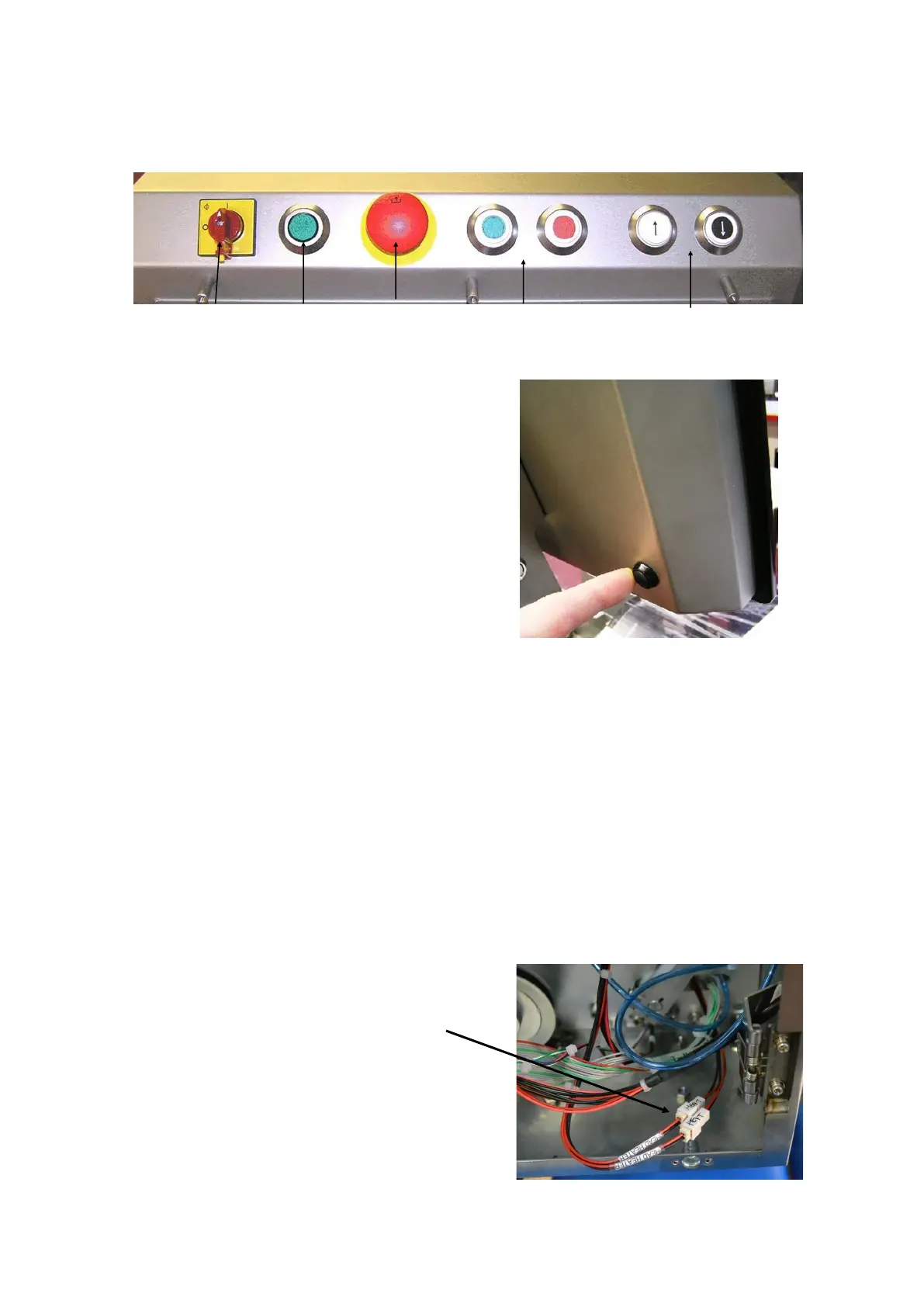
Electrical cabinet & display screen operation buttons
power on
indicator
Start & stop
conveyors
Emergency
stop switch
Electrical
isolator
switch
Up / down power
lift for labeller
Switching on
Once the electrical plug is plugged into a suitable power supply,
turn the isolator switch 90° clockwise to the I position, the green
power indicator will illuminate
Press the PC launch button situated at the rear of the display
screen & the machine will begin its start up sequence and the
green LED on the front of the display screen will be lit.
Switching off
To turn off the machine, select EXIT, then YES (shut down)
from the main operation mode screen, wait until the screen
goes blank and then turn the rotary power switch on the
front of the control box 90º anti-clockwise.
Start / stop of conveyors
Check that conveyors are clear and that no damage will be caused by starting them. Ensure that the
emergency stop switch is in the released position and then press the green start switch.
To stop the conveyors press the red stop switch. If the machine is stopped by this stop switch, it can be
restarted by simply pressing the start switch again.
If, due to an emergency, it is stopped by the emergency stop switch, this switch will need to be released
before the machine can be re-started by the start switch.
Thermal head heaters - Signature labeller
If the thermal head heaters are to be used, check the
connections in the rear of the Signature labeller are
connected. There are two 2 way Molex connectors



 To Next Page