Chapter 6: Making Studio Connections 35
chapter 6
Making Studio Connections
To hear audio recorded into a Pro Tools session,
you will need to connect headphones or an ex-
ternal sound system (such as powered monitors
or a home stereo) to the Mbox 2 Pro. Sound
from the Mbox 2 Pro cannot be played through
your computer’s speakers or your computer’s
sound output.
Connecting Headphones
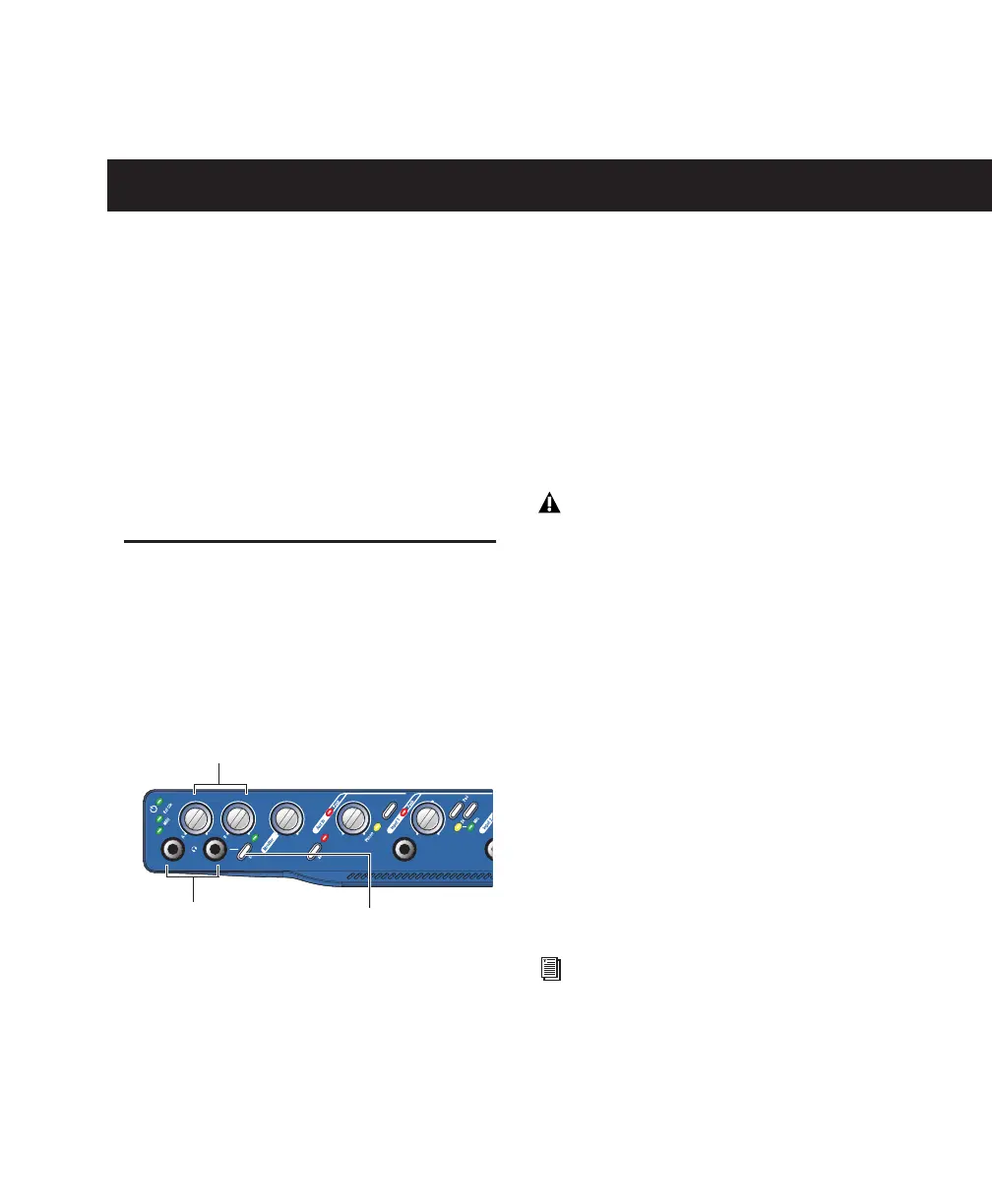
On the front panel of the Mbox 2 Pro are two
1/4-inch headphone connectors, each with an
associated level control, labelled A and B. Con-
nect up to two sets of headphones for mixing
and tracking.
Headphone A monitors the Pro Tools main mix
outputs (output channels 1–2).
By default, Headphone B output mirrors the
Pro Tools channel 1–2 output being heard in the
Headphone A output. Whenever a discrete cue
mix is required for overdubbing, Headphone B
output can be switched to monitor output chan-
nels 3–4.
To connect headphones for mix monitoring:
Connect headphones with a 1/4-inch stereo
connector (or adapter) to the Headphone A jack.
To connect headphones for selectable monitoring:
Connect headphones with a 1/4-inch stereo
connector (or adapter) to the Headphone B jack.
To monitor channels 3–4 in Headphone B:
Press the 3–4 switch so that it is engaged (“in”
position).
Headphone jacks and controls on front of Mbox 2 Pro
1/4-inch
Headphone jacks (A, B)
Headphone level (A, B)
3–4 (Headphone B)
Do not use the front panel headphone out-
puts for anything but headphones. If you
use a headphone distribution amp or cue
system, use any of the six available Line
Out channels on the back panel. See “Addi-
tional Analog Outputs” on page 36.
For information on using signal routing,
sends, and bussing to create submixes for
monitoring (cue mixes), see the Pro Tools
Reference Guide (Help > Pro Tools Reference
Guide).


 To Next Page