movement speed selection indicator
light: slow/fast;
controls position indicator light;
ground/basket.
The central band shows:
the motor rev counter to the LH,
0-6000r/min;
Load monitoring function on/off.
voltage and percent of battery
capacity.
the motor rev counter to the LH,
0-4000r/min.
The bottom band shows the indications of
the pages that can be consulted:
motor data interface (rpm,
temperature and current of driven
motor and pump motor, the setting
rpm of driven motor and pump motor,
voltage of system.);
operational data (angular inclination
of boom, angular inclination of
secondary boom, angular inclination
of JIB, inclination of the platform,
inclination of the truck on the
horizontal plane, load measured on
platform);
options settings
(activation/deactivation of basket
safety system, transport mode
activation/deactivation)
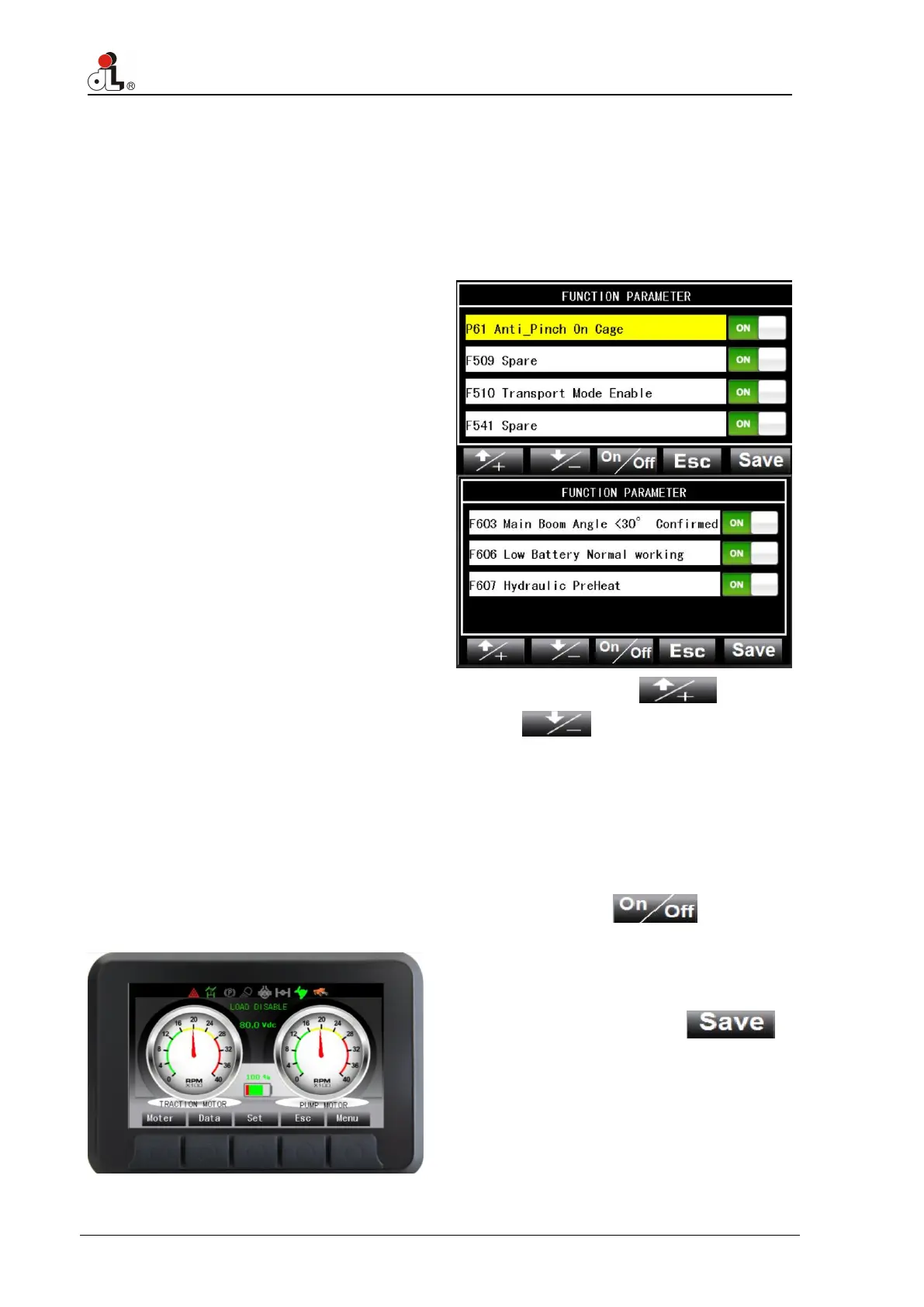
The setting interface could be entered by
depressing setting button and hold on for
one second. The optional function can be
turned on or off without password, after
entering setting interface. The procedures
are as follows:
A Depressing or
is used to choose the item
separately. For example “P61
Anti_Pinch On Cage”, “F510
Transport Mode Enable” and “F600
main boom retracted completely”.
The chosen item would be shown in
yellow background.
B Depressing and holding
on is used to turn on or off
corresponding function.
C Save the modified value by
depressing the button .
D Modifying “F510 Transport Mode
Enable” and “F600 main boom
retracted completely”, is only valid in
condition of power on. It will return
back at the moment of interruption of
power supply.


 To Next Page