25
© 2016 Directed. All rights reserved.
1. * Zone 4 Sensor Type: sets the Zone 4 name to be displayed in the Text Field for Warn Away and Full
Trigger activations.
2. Siren Duration: sets the Full Trigger output duration in 1 second intervals up to 180 seconds.
3. AUX/Trunk Icon Type: sets the Accessory animation to be displayed on the screen when the AUX/Trunk
output is activated/de-activated.
4. AUX 1 Timed Output: sets the output duration in 1 second intervals up to 90 seconds for AUX 1.
5. AUX 1 Icon Type: sets the Accessory animation to be displayed on the screen when the AUX 1 output is
activated/de-activated.
6. AUX 2 Timed Output: sets the AUX 2 “Timed” output in 1 second intervals up to 90 seconds.
7. AUX 2 Icon Type: sets the Accessory animation to be displayed on the screen when the AUX 2 output is
activated/de-activated.
8. AUX 3 Timed Output: sets the AUX 3 “Timed” output in 1 second intervals up to 90 seconds.
9. AUX 3 Icon Type: sets the Accessory animation to be displayed on the screen when the AUX 3 output is
activated/de-activated.
10. AUX 4 Timed Output: sets the AUX 4 “Timed” output in 1 second intervals up to 90 seconds.
11. Diesel Start Delay Timer: sets the delay before engine crank in 1 second intervals up to 90 seconds for
diesel engine vehicles.
12. Timer Mode Runtime: sets the duration of runtime when the engine is started by the Timer Mode and
Smart Start features.
13. Timer mode Starts: sets the number of times the engine will be started by the Timer Mode and Smart
Start features.
14. Timer mode Intervals: sets the number of hours between engine starts by the Timer Mode and Smart
Start features.
15. Smart Start Low Temperature: sets the low temperature threshold required for Smart Start to start the
engine.
16. Smart Start High Temperature: sets the high temperature threshold required for Smart Start to start the
engine.
17. Smart Start Low battery (Volts): sets the low battery level threshold required for Smart Start to start the
engine.
18. N/A
19. Starter Release Fine Tune: adds or subtracts crank time in Tachometer mode in order to overcome
engine types that short crank or over-crank on the first start attempt.
20. Feature Programming: locks and unlocks the user’s ability to enter the Feature Menus and manually
change the main unit programming using the Control Center.
21. Transmitter Programming: locks and unlocks the user’s ability to enter the remote control/Reset Menu
and manually change any functions using the Control Center.
22. Remote Start Runtime: sets the duration of runtime when the engine is started by remote command.
23. Virtual Tach Fine Tune: adds or subtracts crank time in Virtual Tach mode in order to overcome engine
types that short crank or over-crank on the first start attempt.
* Feature only available for the LCD 2-way remote control with display screens.
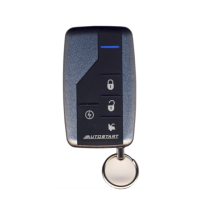
Pairing a Remote Control
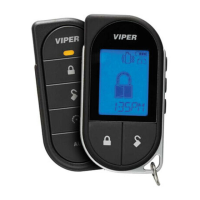
Pairing a remote control is a process whereby the remote control and the system in the vehicle learn each
other’s encrypted identification, securing their communication from intruders. Please note the remote control(s)
come already paired from the factory. These instructions can be used if reprogramming or adding a new
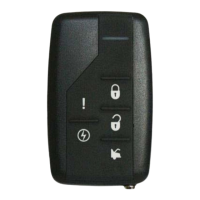
remote control to the system. The following instructions steps you through pairing the 2-way and 1-way remote
control(s).
Note: Both the remote control and the vehicle need to be setup to pair a remote to the system and the remote
must be set to the desired Car1 or Car2 mode. (see Owners Manual for more details about selecting vehicles).




 To Next Page