Chapter 2
12
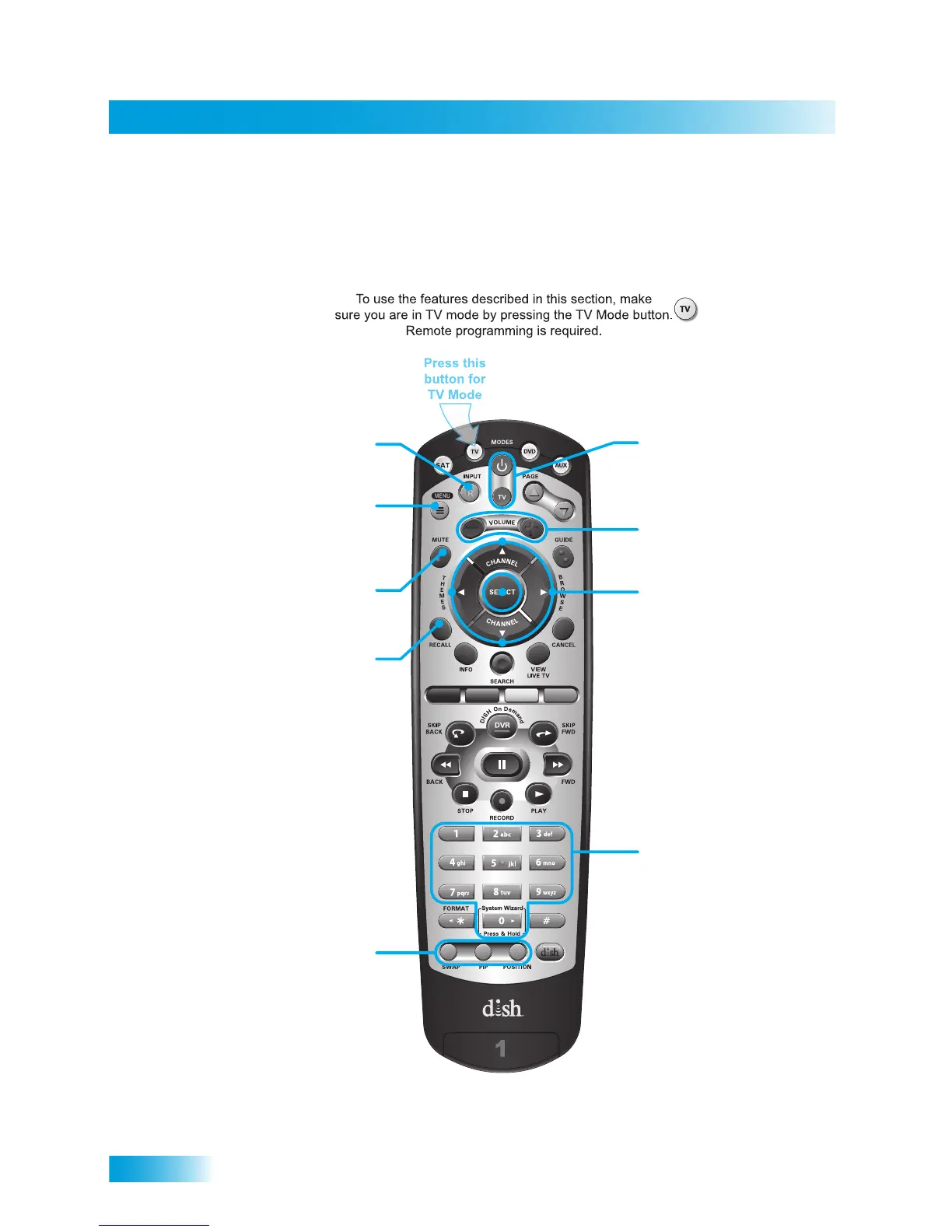
Remote Control
Remote Control Buttons—TV Mode
Volume
Control TV volume
Power and TV Power
top and bottom button
Turn TV on/off
Arrows/Select Buttons
Channel up/down on TV,
navigate TV menus/modes
and select desired TV option
Number Buttons
Enter a desired channel
number on TV
TV Menu
Access menu features
available on some TVs
Recall
Return to last TV channel viewed
(or input, depending on your TV)
TV/Video
Switch between TV inputs
Picture-In-Picture
(PIP) Buttons
Display PIP features
on some TVs with
PIP capabilities
(Feature not supported
at this time)
Mute
Turn TV volume on or off
Note: Remote operation is different on DISH TVs.
See your DISH TV User’s Guide for proper operation.













 To Next Page