Connections and Setup
79
Scheduling Receiver Updates
SCHEDULING RECEIVER UPDATES
The receiver comes scheduled to update the Program Guide at 3:00 am every day. This
section describes how to change the Updates settings.
Note: This feature does not interfere with scheduled timers.
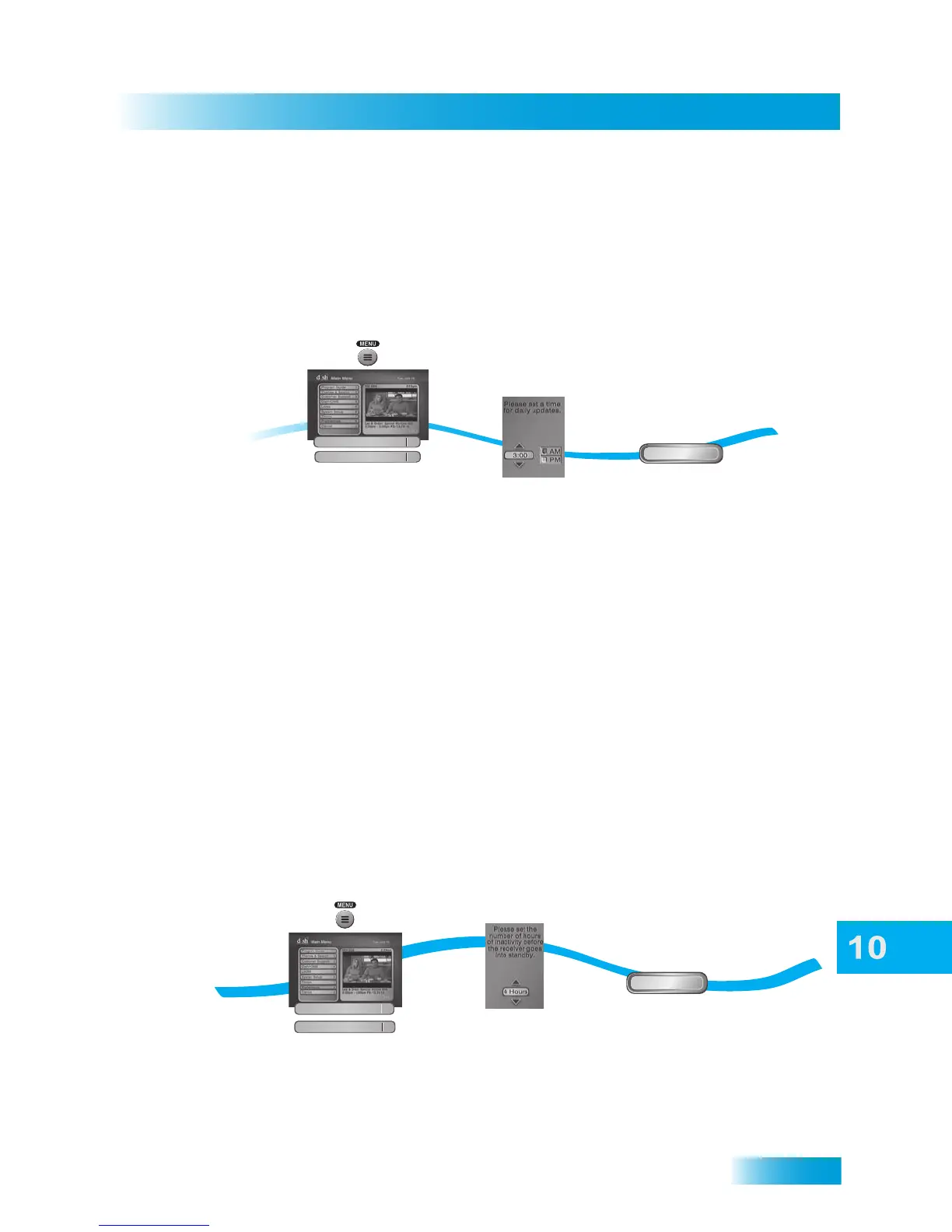
1 Press MENU, select Preferences, and then select Updates.
2 Select the time that you would like the updated software to be downloaded to your
receiver.
3 Select AM or PM.
4 Select Done.
INACTIVITY STANDBY
If your receiver is on for a preset period of time without any activity (for example, no
channel changes), the Inactivity Standby feature turns off the receiver so that you’ll always
have the latest Program Guide and DISH On Demand programs. Enabling this feature is
recommended, as it also helps improve the reliability of your receiver. To change the
settings for this feature, use the following steps:
1 Press MENU on the remote control.
2
3
Press MENU and
select Preferences,
then Updates
Select a time
for daily updates
Updates
4
Done
Select Done
1
Preferences
8
1-2
Press MENU and select
Preferences, then
Updates
Done
Select Done
3
4
Select Inactivity
Duration
Updates
4
Preferences
8













 To Next Page