Chapter 6
40
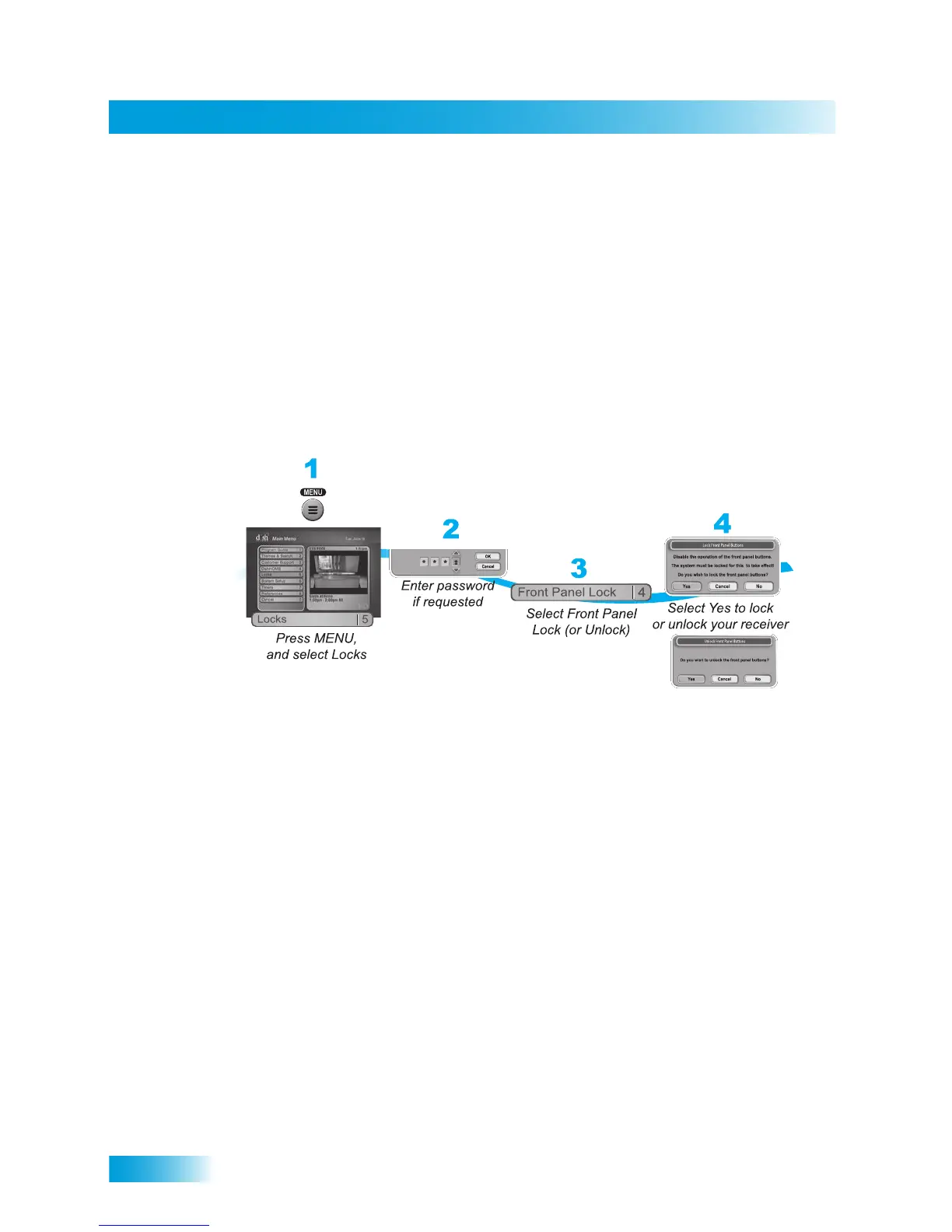
Locking or Unlocking the Front Panel
3 Select Hide Adult to remove the adult channels from the channel lists or Show Adult to
display the adult channels in channel lists. Select Hide Locked to remove locked
channels from the channel lists or Show Locked to display locked channels in channel
lists.
4 Select Yes. Make sure the receiver is locked as described on page 41.
LOCKING OR UNLOCKING THE FRONT PANEL
This lock keeps anyone from using the front panel buttons unless they enter the correct
password, but it does not lock the remote control buttons.
1 Press MENU and select Locks.
2 If the receiver is locked, enter the password using the NUMBER PAD. The receiver
displays stars (*) as you enter the digits of the password. Select OK.
3 Select Front Panel Lock to lock or unlock the front panel.
4 Select Yes. Make sure the receiver is locked as described on page 41.













 To Next Page