Remote Control
49
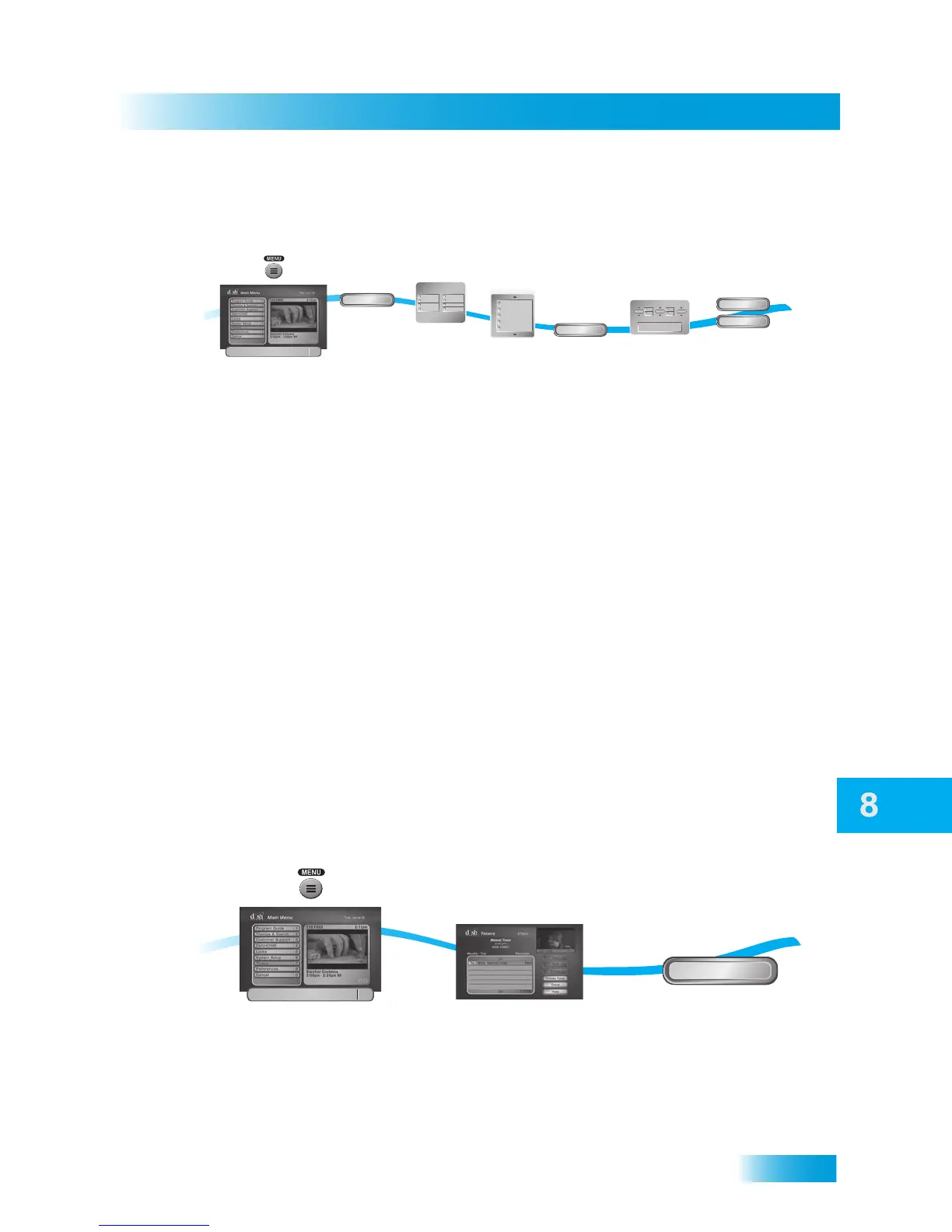
Setting Up a Manual Timer
SETTING UP A MANUAL TIMER
1 Press MENU and select Timers.
2 Select Create Timer.
3 Select the Timer Frequency.
4 Select a Timer Type.
5 Select the channel (satellite or over-the-air), using the remote control ARROWS or NUM-
BER PAD to find the channel.
6 Select Edit Time.
7 Set the Start Time and End Time, being sure to specify AM or PM.
8 Set the Date.
9 Select Create Timer.
10 Select Done.
DELETING A TIMER
1 Press MENU and then select Timers.
2 Select the timers to delete.
3 Select Delete. The timers are deleted.
Select the
frequency and
type of timer
2
3-4
5
6
7-8
9-10
Select Edit
Time
Select Create
Timer
and then
Done
Create Timer
Done
Edit Time
Create Timer
120 - HIST
118 - A&E
116 - GAME
114 - E!
112 - HGTV
Channels
Start Time:
Hr./Min. Mo./Day
Date:
1/227:01
Timer Properties
AM
PM
End Time:
Hr./Min.
7:05
AM
PM
Type: Reminder
Frequency: Once
Duration: 2hr 5min
Start Early: 1min
End Late: 3min
Timer
Frequency
Timer
Typ e
Priority: 4 of 4
Once
Weekly
Daily
Mon-Fri
VCR
Auto Tune
Reminder
Ext
Select Create
Timer
Select
channel
Enter the time
you want the timer
to start and end
Press MENU,
and select Timers
1
Timers
7
2
3
Select Timer(s)
you want to delete
Delete
5:18pm
Select Delete
Press MENU,
and select Timers
1
Timers
7













 To Next Page