Chapter 4
26
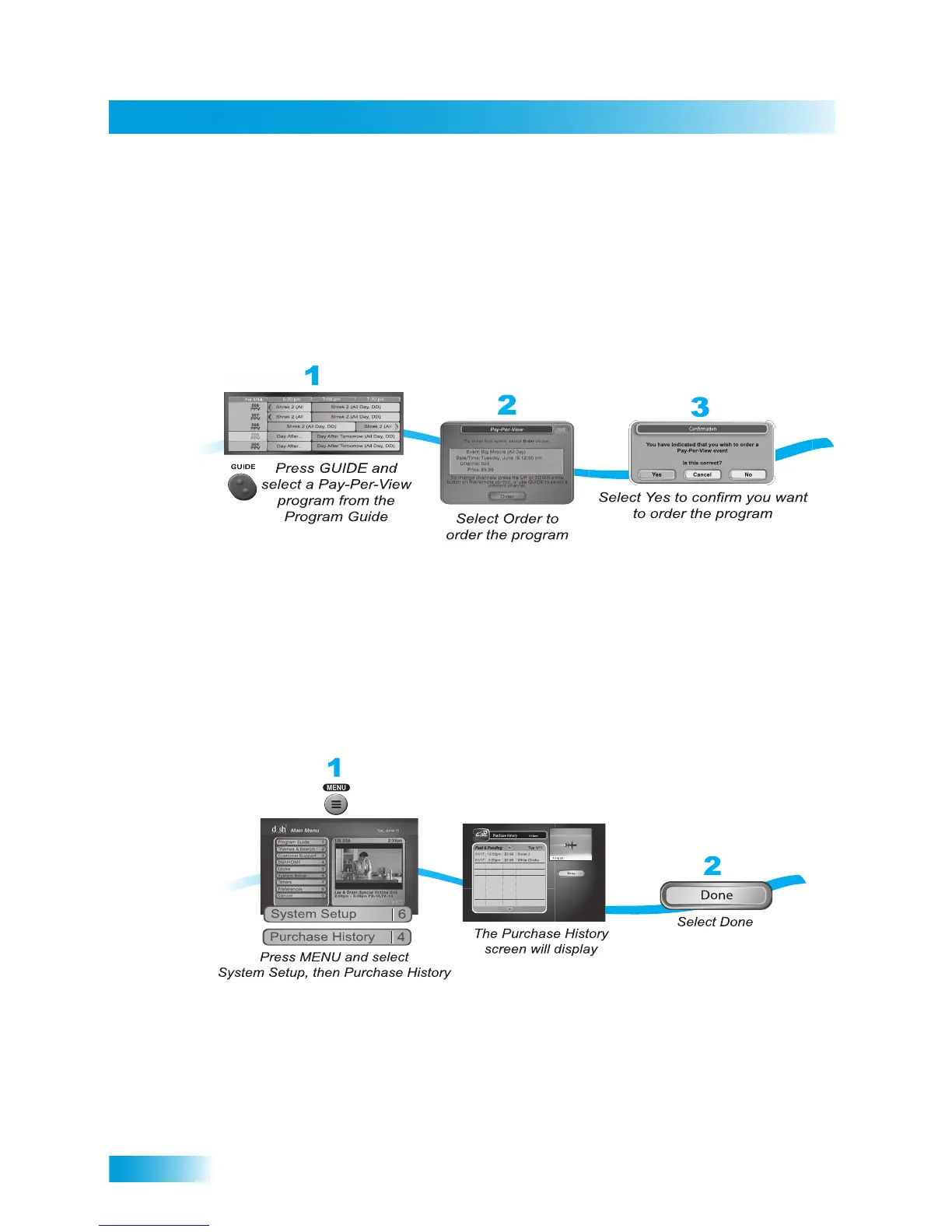
Ordering a Pay-Per-View Program
ORDERING A PAY-PER-VIEW PROGRAM
To order Pay-Per-View programs, you must connect the receiver to an active phone line or
to the your broadband network through the Ethernet port. After you order a Pay-Per-View
program, you can watch it on all of the receivers on your DISH account. Using the remote
control, you can order the exact same program for each receiver but you pay for the
program only once (the program must be the same date, time, and channel). However,
replays of programs are separate events.
Note: Once you confirm an order for a Pay-Per-View program, you cannot cancel the
order, and you will be billed for it.
REVIEWING PAY-PER-VIEW ORDERS
Use this feature to review events you’ve ordered, including those you have watched and
those you purchased but have not yet watched.













 To Next Page