EasyManua.ls Logo

Dish Network 196812 - Satellite Receiver Front Panel; Satellite Receiver Back Panel

Dish Network 196812
137 pages
Print Icon
To Next Page IconTo Next Page
To Previous Page IconTo Previous Page
Loading...
Chapter 2
14
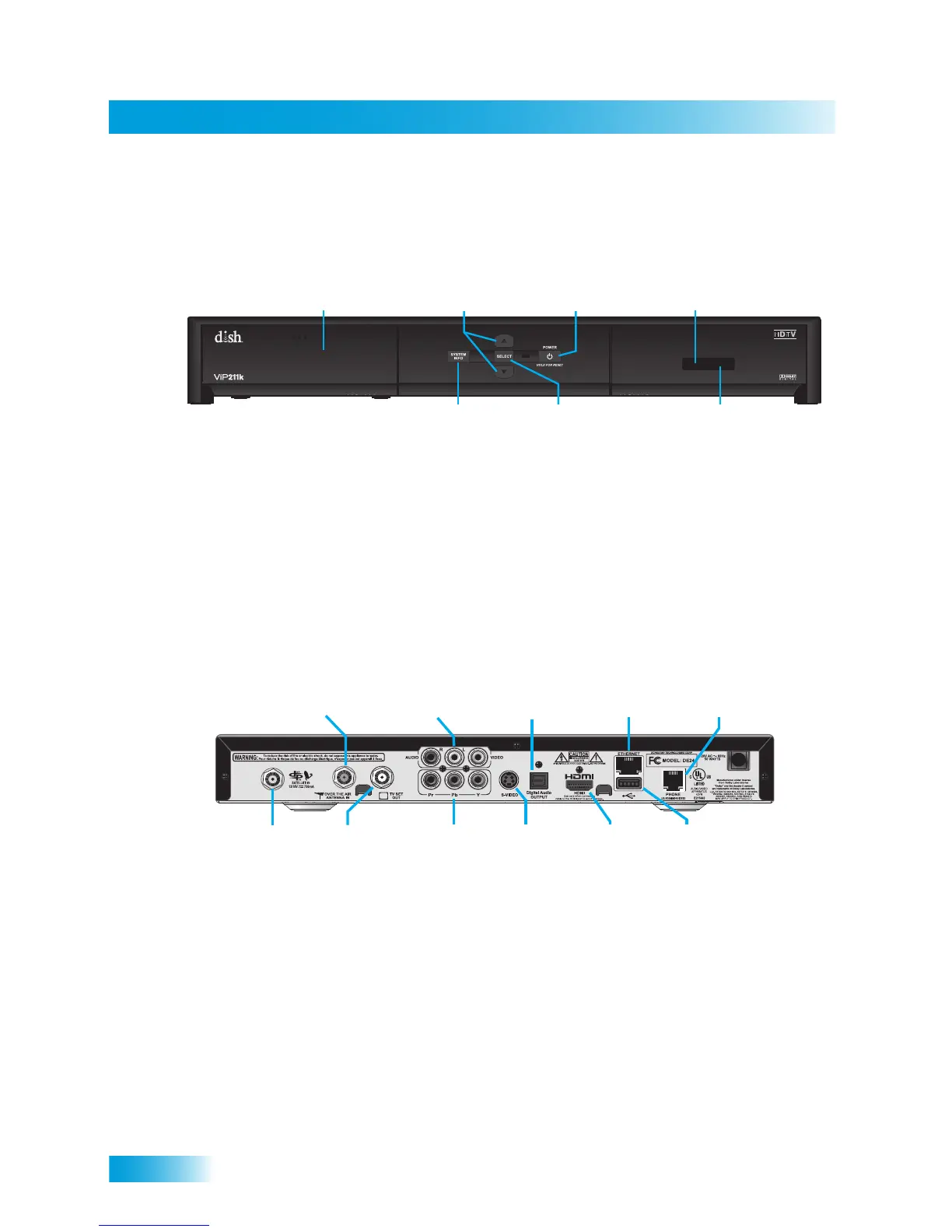
Satellite Receiver Front Panel
SATELLITE RECEIVER FRONT PANEL
SATELLITE RECEIVER BACK PANEL
Smart Card Door
Slot for a future
smart card
Infrared Blaster
Sends IR Signals
to other components
Arrows
Change channels
up/down, and move
around in on-screen
menus and guides
Power
Turns receiver
power on/off,
press and hold
to reset receiver
Infrared Sensor
Receives IR Signals
from your
remote control
Select
Selects
menu items
System Info
Displays the
System Information
Screen
Over-the-Air
Antenna In Input
Connection to
your over-the-air
antenna
Audio/Video
Output
High-quality
standard-definition
connection to your
TV audio and video
input
Digital Audio
Output
Connection
to a high-quality
digital sound
decoding system
Ethernet
Port
Connection to
your home
broadband
network
Phone
Jack
Connection
to your
telephone
line
Satellite In
Connection to
your satellite
dish
TV Set Out
Video and audio
connection to
your standard-
definition TV
video input
YPbPr/
Component
Output
Optional
connection
to your high-
definition
TV video input
S-Video
High quality
standard-
definition
connection
to your TV
video input
HDMI
Output
Provides digital
audio and video
to an HDTV
USB Port
Connection
to external
devices,
where
supported

Table of Contents

Related product manuals