Finding Programs to Watch
23
Finding a Program by its Theme
If you select a program that is on now, the receiver tunes to that program. If you choose a
future program, the Create Timer screen will display. See Chapter 8: Timers for more
information.
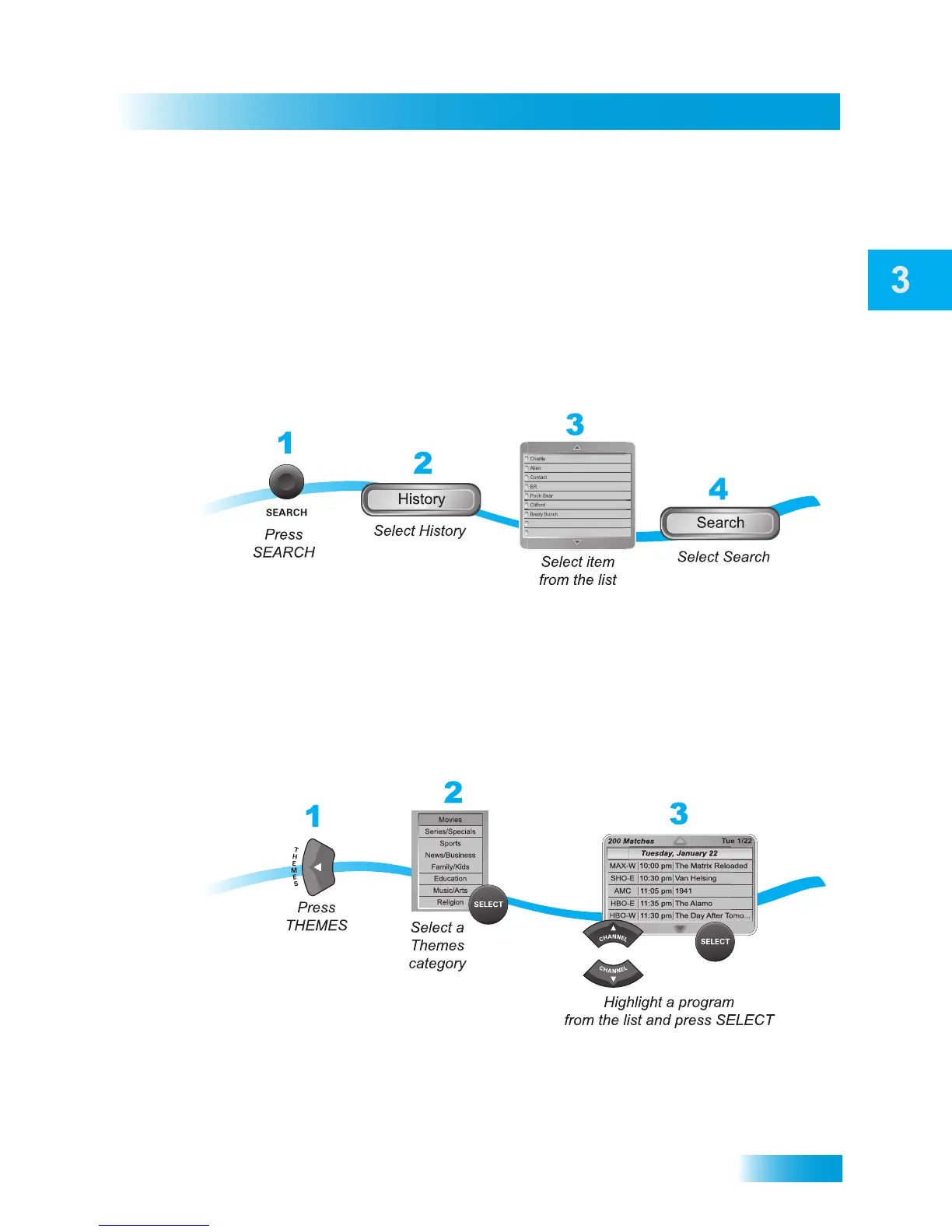
Using Search History
After you have searched previously for programs or other information, your receiver builds
a history. You can use the Search History to re-search programming instead of typing the
information again.
Note: Use the Edit or Delete options to change or delete Search keywords.
FINDING A PROGRAM BY ITS THEME
You can list and choose programs by the theme of their contents, for example, just movies
or just sports. You can then quickly list programs based on that theme, and choose the
program you want. This feature also categorizes programs on over-the-air channels (if an
over-the-air antenna is connected to the receiver.
If you select a program that is on now, the receiver tunes to that program. If you choose a
future program, the Create Timer screen will display. See Chapter 8: Timers for more
information.













 To Next Page