Chapter 10
72
Using Caller ID
Caller ID Screens
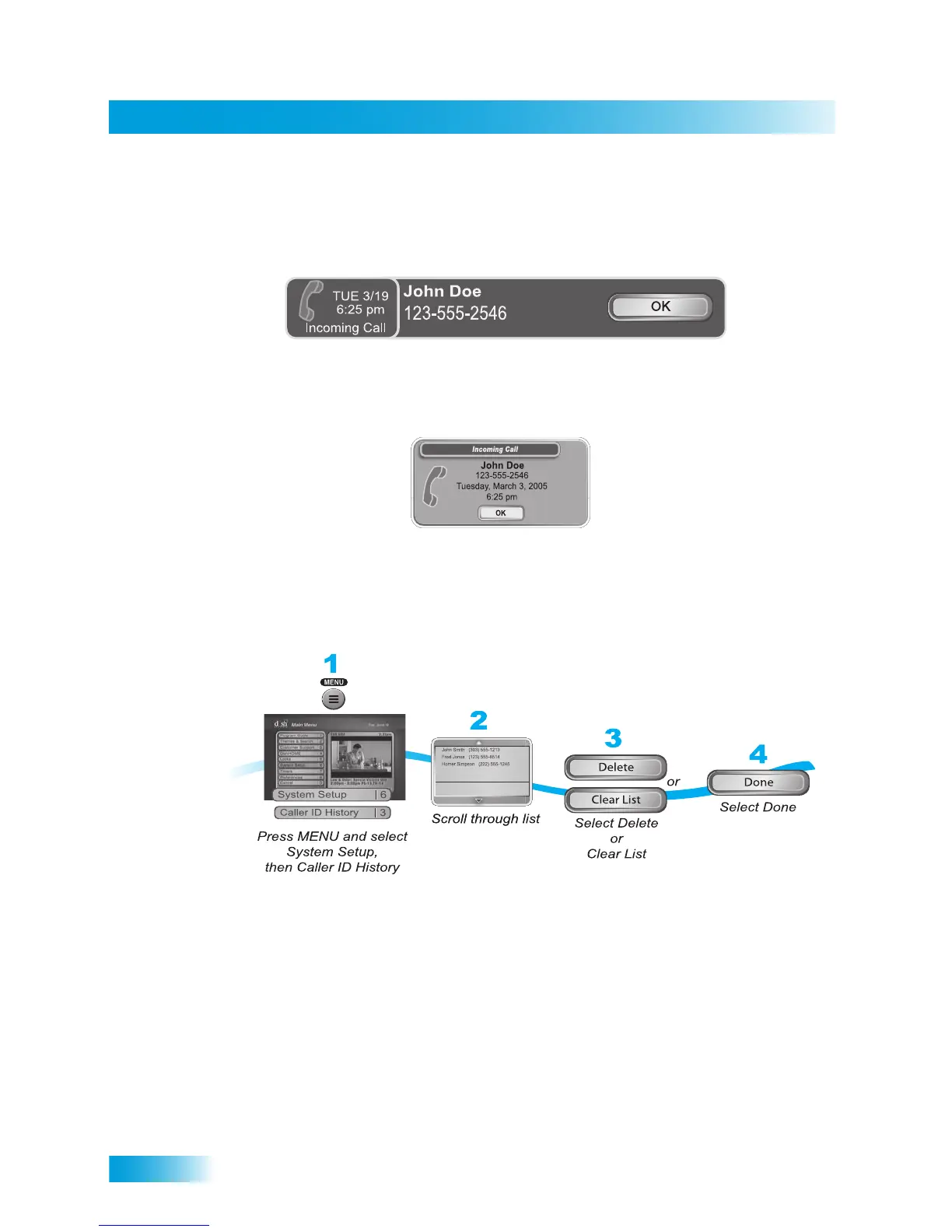
When you receive a call, you will see a Caller ID popup screen.
Select OK to dismiss the message. If you do nothing, it will disappear after 20 seconds.
If you are using a menu when a call comes in, a different Caller ID screen appears.
Using Caller ID History
Your receiver also stores a history of the incoming calls. Use the following steps to view
and delete numbers from your Caller ID History.
1 Press MENU and select System Setup and then Caller ID History.
2 Scroll through the list that displays.
3 Select Delete to delete selected histories or Clear List to delete all histories.
4 Select Done.













 To Next Page