Connections and Setup
77
Setting Up Audio Output
Note: Not all programs contain a Dolby Digital sound track.
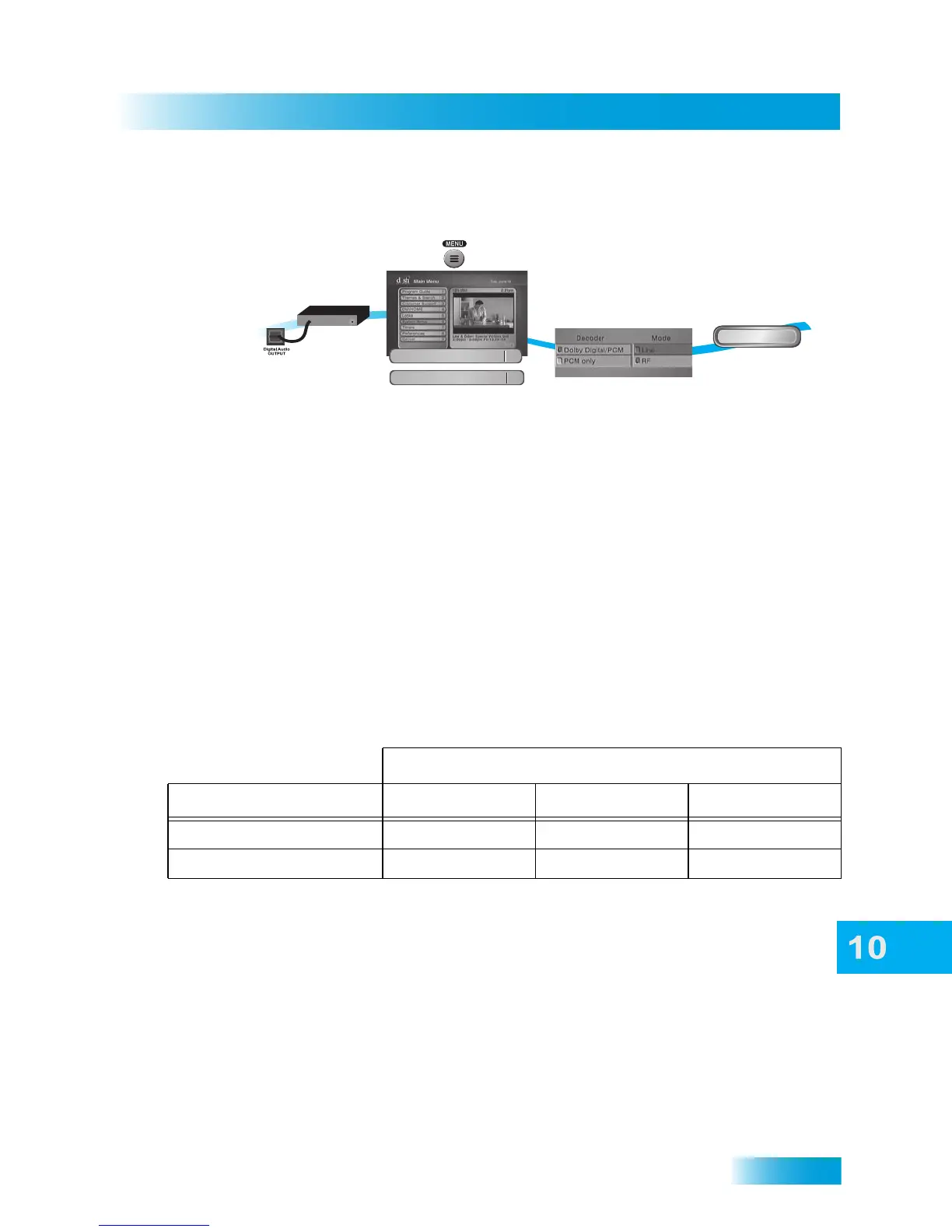
1 Connect an external Dolby Digital decoder to the receiver’s back panel Digital Audio Out-
put using an HDMI or optical cable (available at consumer electronics stores).
2 Press MENU, select System Setup, and then select Audio Output (MENU-6-6) to open
the Audio Output screen.
3 Select one of the following digital audio output options under Decoder:
• Dolby Digital/PCM—select this option only if the stereo system or amplifier can
decode both Dolby Digital and Linear PCM signals.
• PCM Only—select this option only if the stereo system or amplifier cannot decode
Dolby Digital signals.
The audio output is also dependent on what is present in the program you are watching.
The table below shows what type of output you will hear:
Note: When both audio signals are present in the program, the receiver defaults to
Dolby Digital output unless you have selected PCM Only. If you have selected Dolby
Digital Only but there is only PCM audio in the program, you will hear nothing. This also
applies to the analog audio outputs.
• Line Mode. When you use this setting, in comparison to RF Mode, the dynamic range
is wider, which makes the music and loud noises louder, but voices quieter. This set-
ting is good if you don’t mind turning the volume up louder to hear the speaking por-
tions of programs.
• RF Mode. When you use this setting, in comparison with Line Mode, the dynamic
range is narrower, which makes music and loud noises quieter, but voices louder. This
setting is good if you need to keep the volume lower.
Signal Present in Program
Optical Output Setting Dolby Digital PCM Both
Dolby Digital/PCM Dolby Digital PCM Dolby Digital
PCM Only PCM (downmix) PCM PCM
1
2
5
3-4
Connect receiver to an
external decoder
Press MENU and
select System Setup,
then Audio Output
Audio Output
6
Select from
the options
Done
Decoder
Select Done
System Setup
6













 To Next Page