Connections and Setup
83
Connecting to the TV
High-Definition Connection: YPBPR (Component) Cables
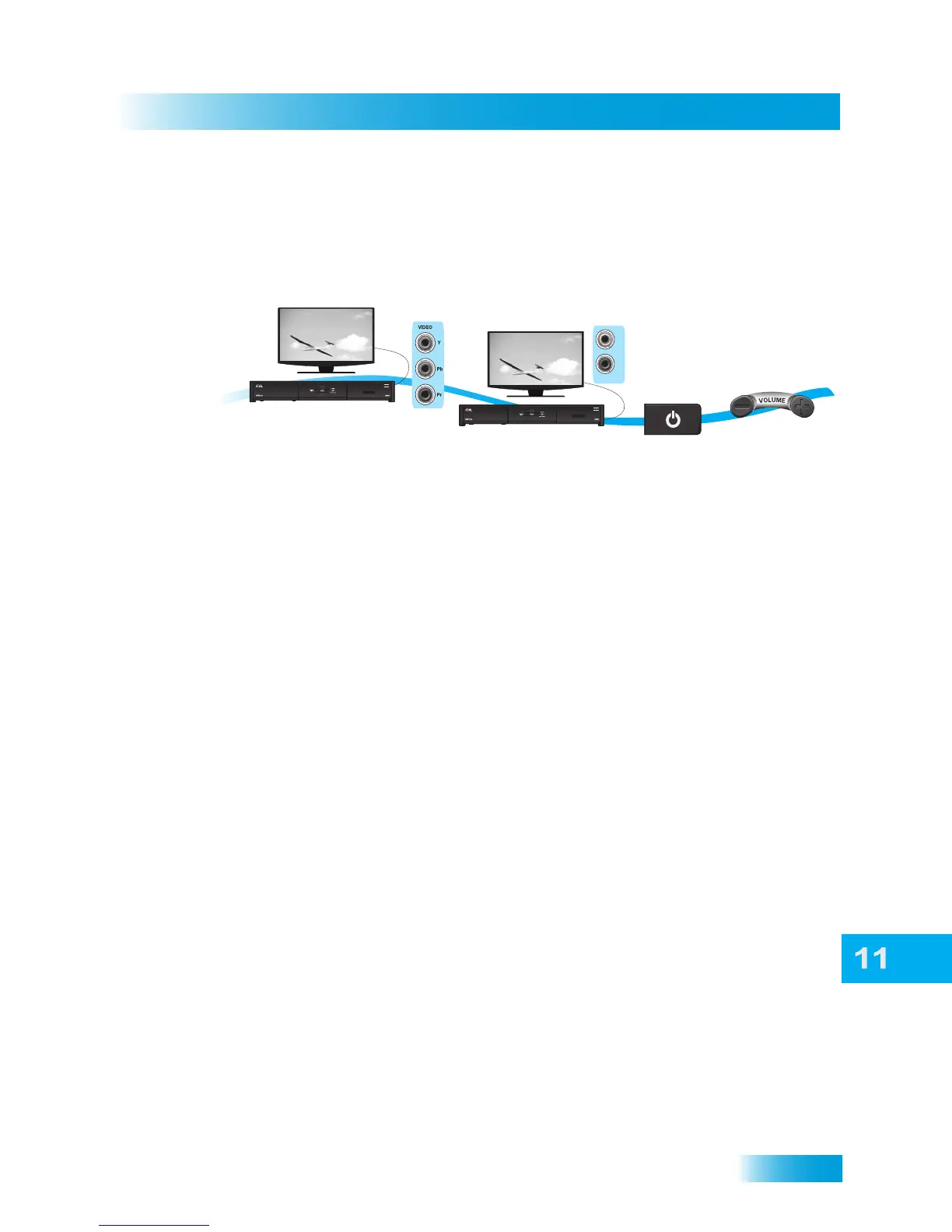
The YPBPR connections provide high-quality video to your HDTV or HD monitor. Use
these connections if your TV does not have an HDMI connection.
1 Connect component video cables to the YPBPR (component) connections on the receiver.
Connect the other end of the component video cables to the YPbPr (component) connec-
tions on the TV.
2 Connect audio (red and white) RCA-type cables between the receiver’s Audio Outputs
and TV’s audio inputs.
3 Turn on your receiver and TV. Change your TV to the correct input or source. Consult your
HDTV user’s guide for assistance.
4 If you do not see a picture, refer to No Picture on the TV, below.
5 Turn up the volume on your HDTV and confirm you have sound.
6 Refer to Setting Up to Display in HD to adjust the receiver’s HD display settings to match
your TV.
No Picture on the TV
This section helps you display a picture on your TV if you were not able to using the
previous sections.
1 Connect RCA-type cables between the receiver’s COMPOSITE (RCA-type) video output
and your TV’s Composite (RCA-type) input.
2 Verify the receiver and the TV are on.
3 Make sure the TV is set to the correct input for the RCA-type connection. Refer to your
HDTV user’s guide for assistance.
4 Change the HDTV settings to match your TV’s display settings.
5 Change the TV to display from the HD input you connected in the previous sections. If you
can see a picture, you are finished.
6 Repeat steps 4 and 5 until the TV displays video from the receiver.
1
2
3
4
Connect receiver
and monitor with
YPbPr Component
connections
Turn on monitor
and receiver on
and confirm picture
Confirm sound
and volume
Connect receiver
and monitor with
Audio cables
AUDIO
L
R













 To Next Page