Connections and Setup
85
Connecting to the TV
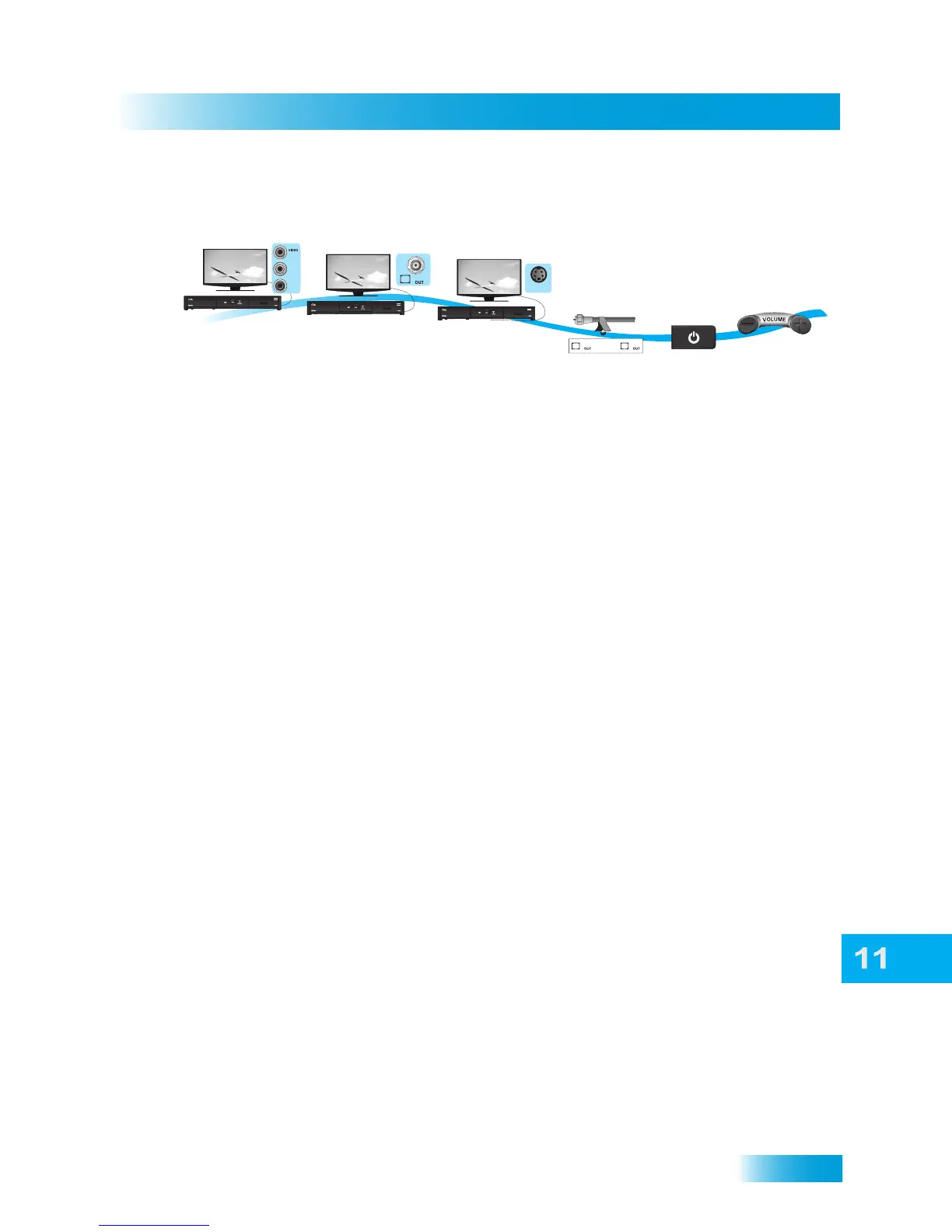
Standard-Definition Connections
1 Connect the receiver to the TV using one of the following connections.
Note: Connecting your TV directly to the audio/video outputs of your receiver will assure a
more vivid picture and enhance your viewing enjoyment.
• AUDIO/VIDEO connection (RCA-type composite connection)
• S-VIDEO and LEFT/RIGHT AUDIO
• TV SET OUT
2 If using the TV SET OUT connection, peel off the white sticker and attach it to the cable
close to where it connects to the TV SET OUT connection on the back of the receiver. The
sticker is in the front cover of this guide.
3 Turn on the TV and receiver to make sure you have a picture.
• If using the TV SET OUT connection, you’ll need to set your TV to either channel 3 or 4.
This output channel can be changed in the receiver’s menus by pressing MENU on
the remote control, selecting System Setup, Installation, then Modulator Setup.
The default output is channel 3.
• If using the S-VIDEO or AUDIO/VIDEO connections, you’ll need to set your TV to a video
input or source. Refer to your TV’s user guide for more information.
4 Turn up the volume on the TV to make sure you have audio.
1
3
4
Connect receiver
and TV with
RCA Composite
connections
Turn on TV
and receiver on
and confirm picture
Confirm sound
and volume
Connect receiver
and TV with
Coax cable
TV SET
Connect receiver
and TV with
S-Video cable
and audio cables
S VIDEO
2
TV SETTV SET
Label cable
or
1
or
L
R
or
or













 To Next Page