Page 38
Chapter 3
Using the System
3. If you want to start the timer one minute early, select the Start 1 min.
early option.
4. Select the
Yes option.
OVERLAPPING EVENT TIMERS
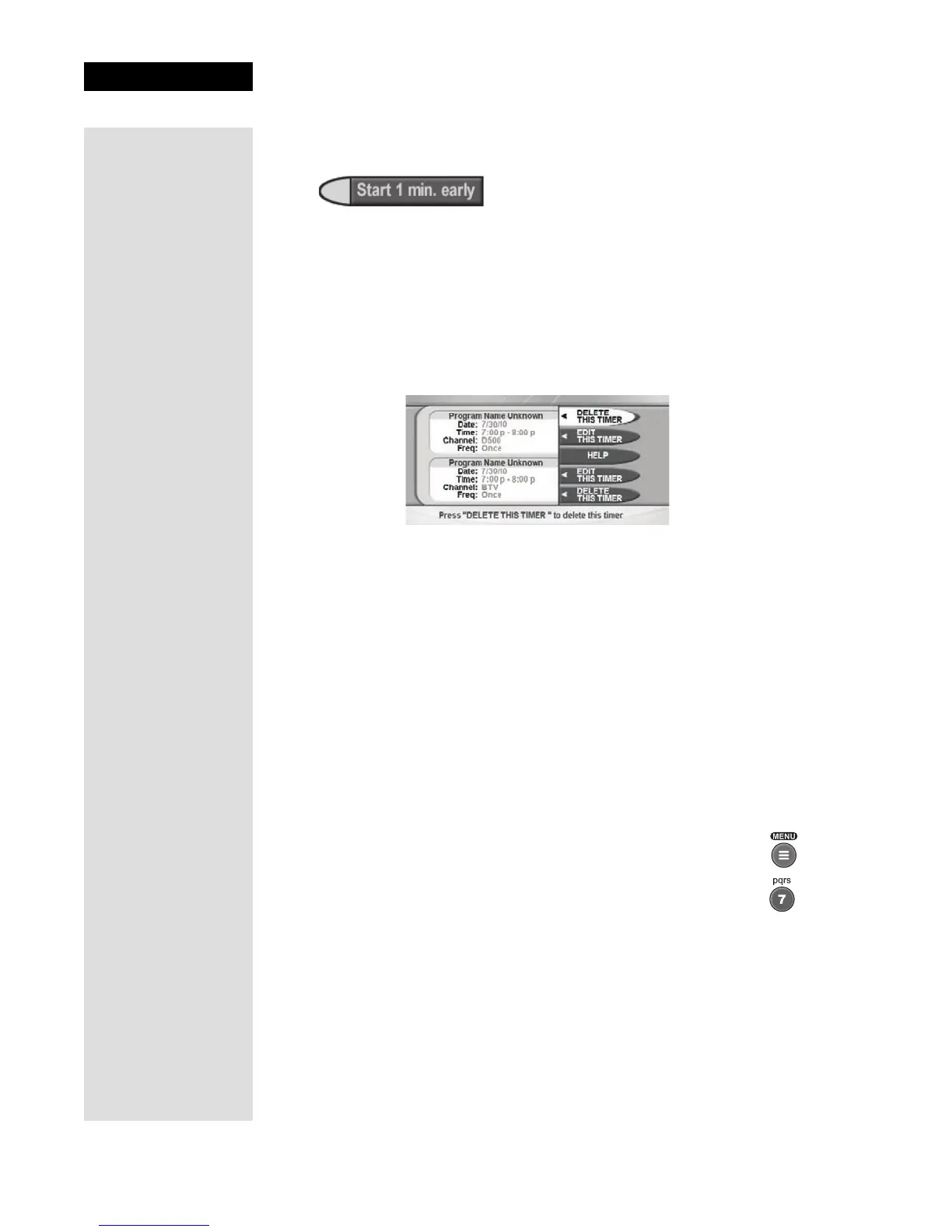
If you try to create event timers for overlapping programs, the receiver
displays a menu with the dates and times of both programs. The receiver
also displays this menu if a program time has changed, causing one timer to
overlap another. You must delete or edit one of the timers.
MAXIMUM NUMBER OF EVENT TIMERS
You can create a limited number of event timers. If you try to create more,
the receiver displays a menu giving you the option to delete an existing
timer. If you do not delete an existing timer, you are not be able to create
any new ones.
EDITING AN EVENT TIMER
• You can edit almost any feature of an event timer.
• You can edit both automatic and manual event timers.
• Editing an automatic event timer converts the timer to a manual event
timer that operates at the times you set, not the actual program times.
1. Press the MENU button.
2. Select the Timers option.
Tip: The receiver
deletes Once
event timers
when they
operate. You must
delete all other
types of event
timers yourself.











 To Next Page