Page 10
Chapter 2
The Parts of the System
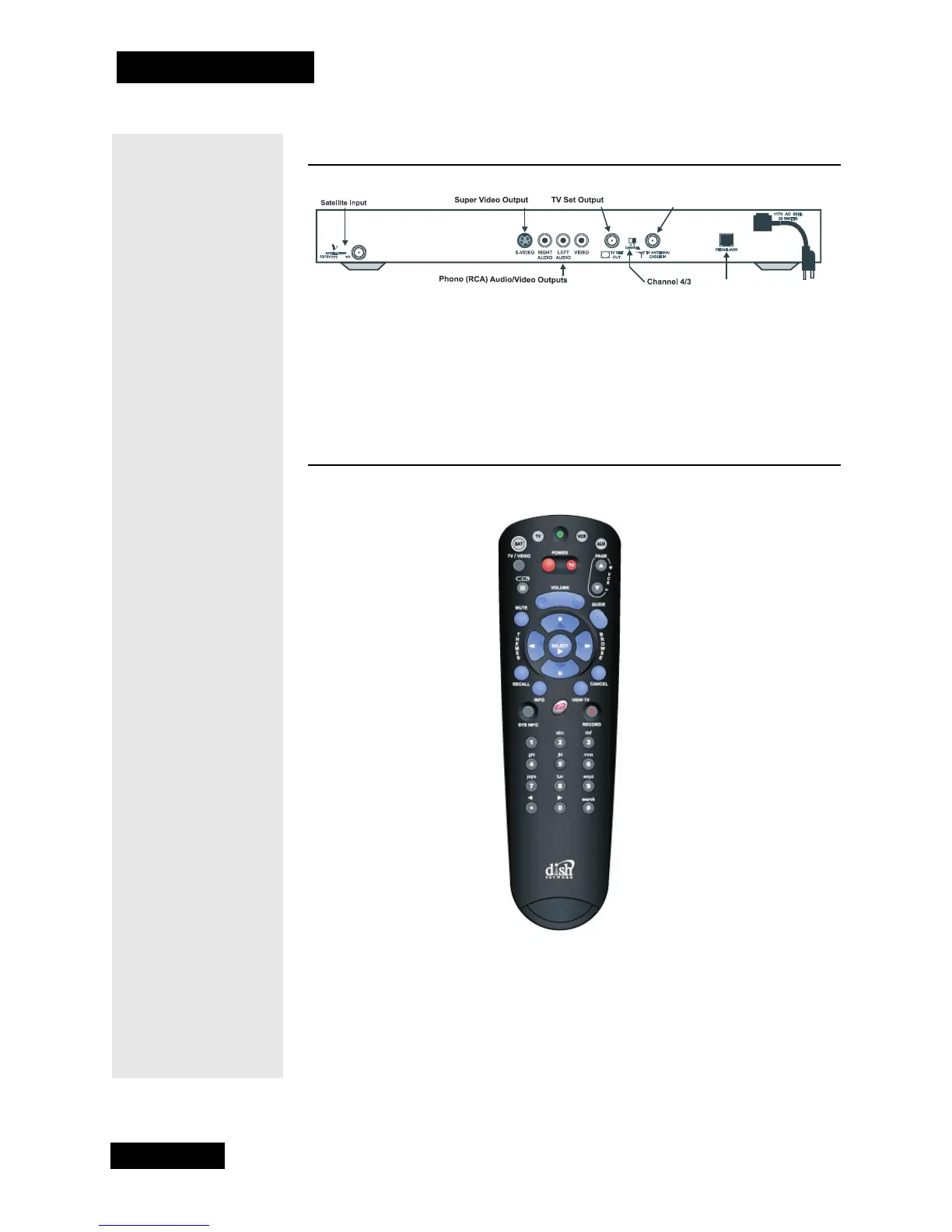
THE RECEIVER BACK PANEL
The back panel of the receiver provides the connections that you use to wire
the receiver to other electronic devices. It also provides the receiver power
cord and telephone jack. Depending on the wiring setup that you use, you may
not use some of these connections, but they are available. See Chapter 4 -
Installation Instructions, or the installation instructions that came with the
system for more information.
THE REMOTE CONTROL
Note: This remote control shown here is for example only.
The remote that came with the receiver may be different.
For information on using the remote control, see Chapter 3 - Using
the System.
For information on using the remote to control other devices, go to the section
titled Control Other Devices with the Remote, beginning on page 51.
If you lose or damage the remote control, you will not be fully able to control
the receiver. If this happens, call the Customer Service Center at 1-800-333-
DISH (3474) to order a replacement. You will have to pay for the remote
control, plus shipping and handling.
750
TV Antenna/Cable Input
Power Cord and Plug
Telephone Jack



 To Next Page