Page 60
Installation Instructions
Chapter 4
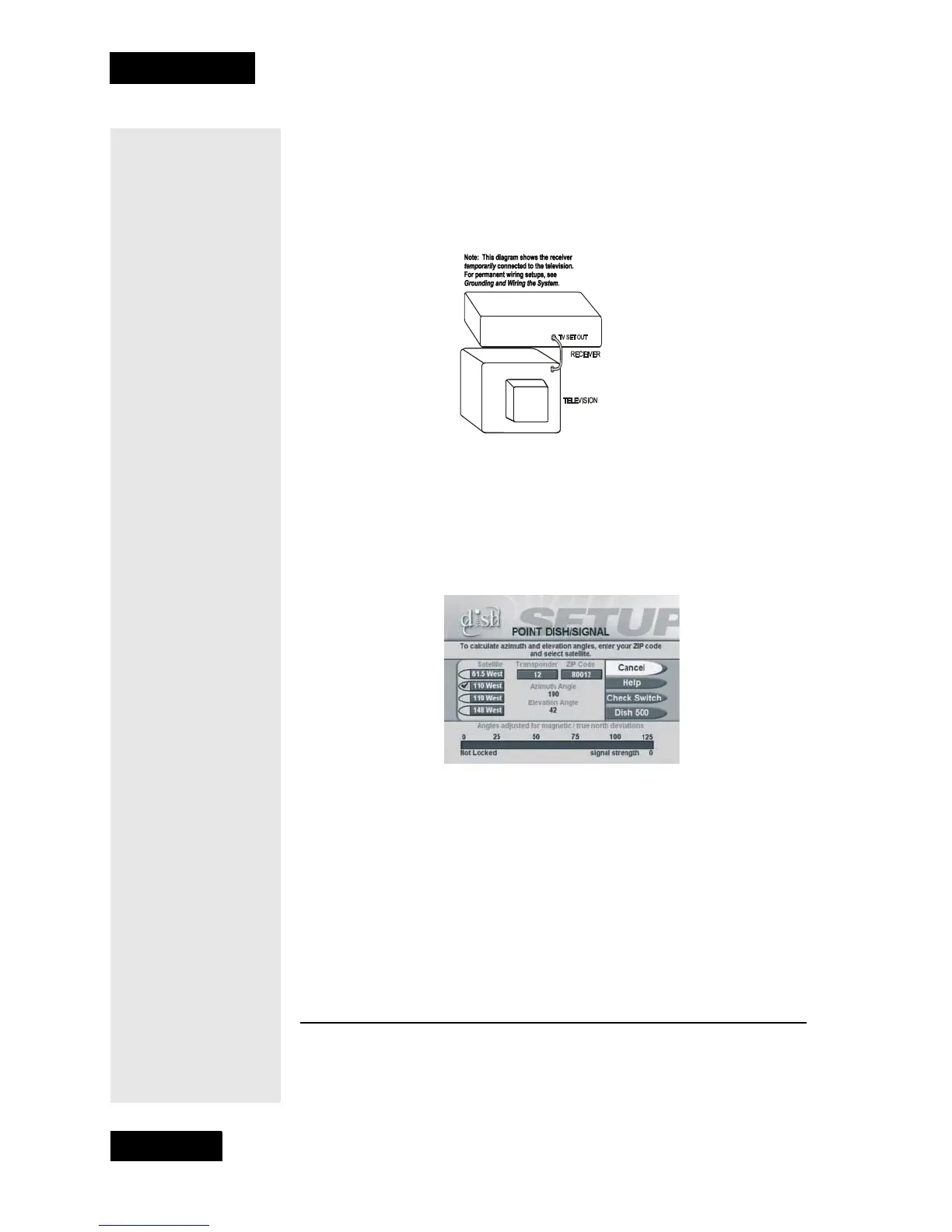
Do the following to get these angles:
1. Connect the TV Set Out port on the receiver’s back panel to the
television’s RF Tuner Input using a coaxial cable. Make sure that
the TV is tuned to the same channel as the Channel 3/4 Switch on
the receiver’s back panel (for example, if this switch is at “3,” the TV
must be tuned to Channel 3).
2. Make sure that the remote control batteries are fresh, and are installed
properly. Press the SAT mode button on the remote to make sure the
remote is in
SAT mode to control the satellite receiver.
3. Turn ON the television and receiver.
4. Display the
Point Dish/Signal menu, by opening the Main Menu
and pressing 6-1-1 (unless the receiver already displays this menu).
5. Enter your ZIP code in the
ZIP Code field.
6. Select the
Dish 500 option.
7. The receiver displays the
Dish 500 Setup menu. The menu displays
the azimuth, elevation, and skew angles as shown below. Write down
these numbers:
Azimuth:___________ Elevation:___________Skew:___________
8. Select Cancel to exit out of this menu and return to the Point Dish/
Signal menu.
MOUNTING THE DISH
1. Using these azimuth, and elevation angles, find a location for the
satellite dish which can be pointed towards the satellites located at



 To Next Page