Page 66
Installation Instructions
Chapter 4
Note: If you cannot find the signal, turn the dish back to the first
azimuth angle. Then, loosen both elevation bolts just enough so you
can tilt the dish. Tilt the dish up by two degrees, and then tighten both
bolts. Now, turn the dish back and forth again. If you still can’t find
the signal, tilt the dish up again very slightly and turn the dish back
and forth until you find the signal.
12. Once the signal strength bar is green, turn the dish back and forth just
a little, to where the signal strength bar shows the strongest signal.
When you find the strongest signal, tighten both mast clamp bolts.
Then loosen both elevation bolts, just enough so you can tilt the dish.
Tilt the dish up and down just a little, to where the signal strength bar
shows the strongest signal. Do not adjust the skew. When you find
the strongest signal, tighten all bolts in the dish assembly so the dish
cannot be moved.
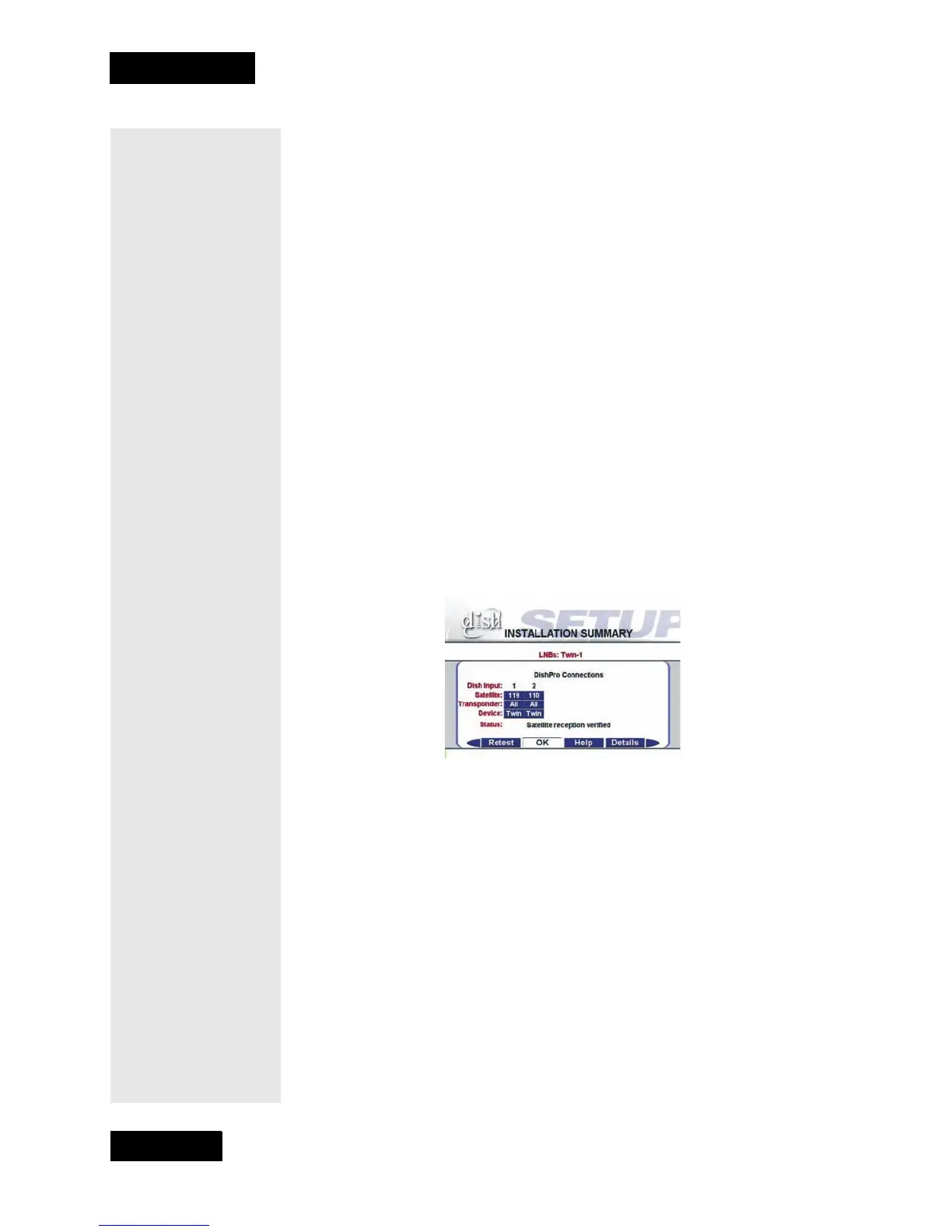
13. You are now ready to verify reception from both satellites. Select the
Check Switch option.When the Check Switch menu opens, select
Check. The receiver shows you a message that it is checking the
switches. When the procedure is finished, you will see an
Installation Summary screen similar to the one shown below.
However, you must see that you have signals from both the 110
West and 119 West Satellites, you see “All” twice in the
Transponder line, and the message “Satellite reception verified.
Select Cancel to exit this menu.”
If you do not see “110,” under Dish Input 2:
•Check to make sure the skew angle you wrote down on page 60 is
exactly the same as the skew angle you set in step #7 on page 60.
If it is not, reset the skew angle as described in on page 62.
Following this, go back to page 65, and start over from step #10.
•Recheck your cable connection to Port 1 of the LNBF. If it was
connected to Port 2, reconnect to Port 1. Following this, move the
dish approximately 9
o
to the east and restart the procedure at
step #7.
14. Look at the Point Dish/Signal menu. If you have good signal
strength with the check mark in 119 West, move the check mark to
110 West. If you have good signal strength on 110 West, go to
step #15. If you do not have good signal strength with the check mark
in 110 West, repeat Step #12, and fine-tune the dish but with the
check mark in 110 West instead of 119 West. While the 110 West



 To Next Page