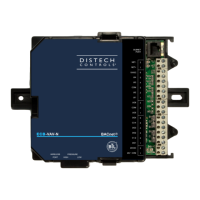
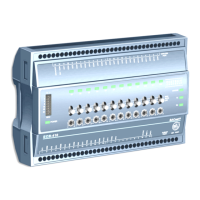
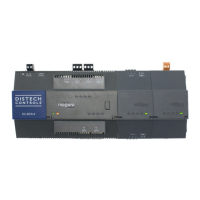
Figure 5: RS-485 Wiring Example.
1 RS485 port A (COM1) is often used to support a trunk of T-IO-16-485 modules.
NOTE: Do not mix T-IO-16-485s with other types of RS485 devices on the same RS45 trunk.
2 RS485 port B (COM2) supports a network of other field devices using RS485 communications.
3 This port links to up to 32 or more devices, depending on device specifications.
RS485 devices on the same network should use the same protocol and baud rate.
Use shielded, twisted-pair, 18-22 AWG cabling to wire in a continuous multidrop fashion to other RS485 devices: minus-to-minus, plus-to-plus, and shield-
to-shield. Connect the shield wire to earth ground at one end only, for example, at the controller.
RS485 Bias Switches
Each RS485 port has an adjacent 3-position biasing switch.
Eacj switch has these settings:
• BIA - (Default, middle) RS485 biasing and termination: 2.7K Ohm bias resistors with no termination resistor
• END - RS485 biasing and a termination: 562 Ohm bias resistors and 150 Ohm termination resistor
• MID - RS485 biasing or termination: 47.5K bias resistors with no termination resistor
Often, adding RS-485 biasing can improve communications by eliminating indeterminate idle states.
• BIA - (Default, middle) Often best if the RS485 trunk needs biasing, but when the EC-BOS-9 is not installed at the end of the trunk.
• END - Often best if the EC-BOS-9 is installed at the end of an RS485 trunk of devices that is not already biased.
• MID - Often best if the EC-BOS-9 is put in the middle of an already-biased RS485 trunk.
If desired, you can change the position of an RS485 port’s bias switch while the EC-BOS-9 is running.
Each RS485 port has two LEDs. See RS485 LEDs for details.
Ethernet Wiring
Two RJ-45 10/100/1000-Mbit Ethernet connectors are labeled PRI (LAN1) for primary, and SEC (LAN2) for secondary.
Use a standard Ethernet patch cable to an Ethernet switch.
The EC-BOS-9 is not compatible with a Power-Over-Ethernet (POE) network. Connecting on a network segment, which carries power, may cause
the unit to fail. In that event, you must disconnect it from the POE network segment and power-cycle the unit.
The factory-default IP address for PRI is 192.168.1.140. The subnet mask is 255.255.255.0. By default, the SEC (LAN2) port is disabled. Refer to the
EC-BOS-9 Install and Startup Guide for details on the software configuration of the Ethernet ports.


 To Next Page
 Loading...