BACnet MS/TP Communication Data Bus Fundamentals
Network Guide 35
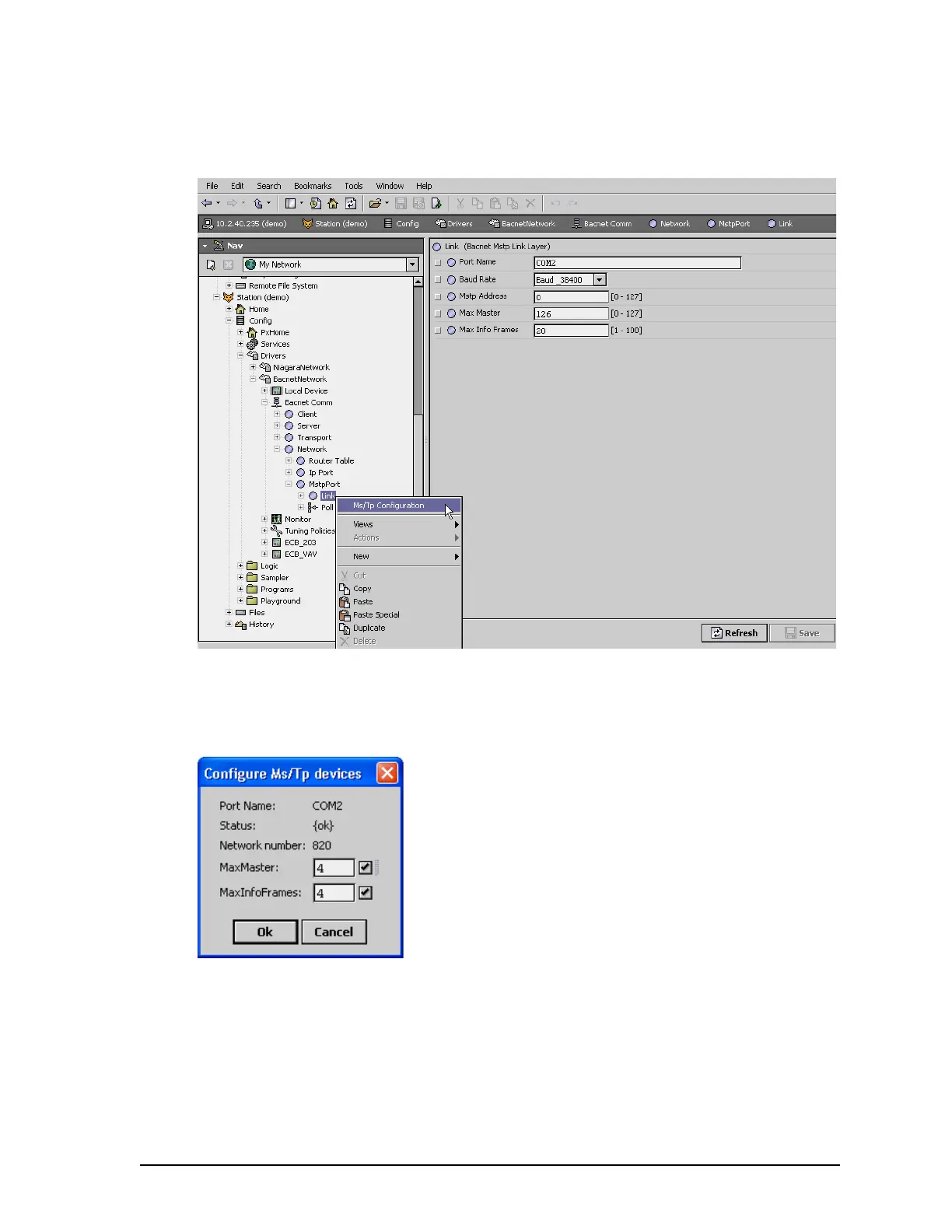
Set the Max Master and Max Info Frames as follows.
1. Right-click the Link node in the Nav tree and select Ms/Tp Configuration.
2. The Configure Ms/Tp devices dialog box is displayed. The network must be live; the Sta-
tus shown in Configure Ms/Tp devices window must be {ok}.
Figure 20: Setting the Max Master on the Data Bus Master (EC-BOS) to the Highest MAC Address Used
on the BACnet MS/TP Data Bus
3. A confirmation message is shown.
4. Set the Max Info Frames to 20 for the Data Bus Master (EC-BOS) as shown in the screen
below.


 To Next Page
 Loading...