Controls - 36 JT520 Operator’s Manual
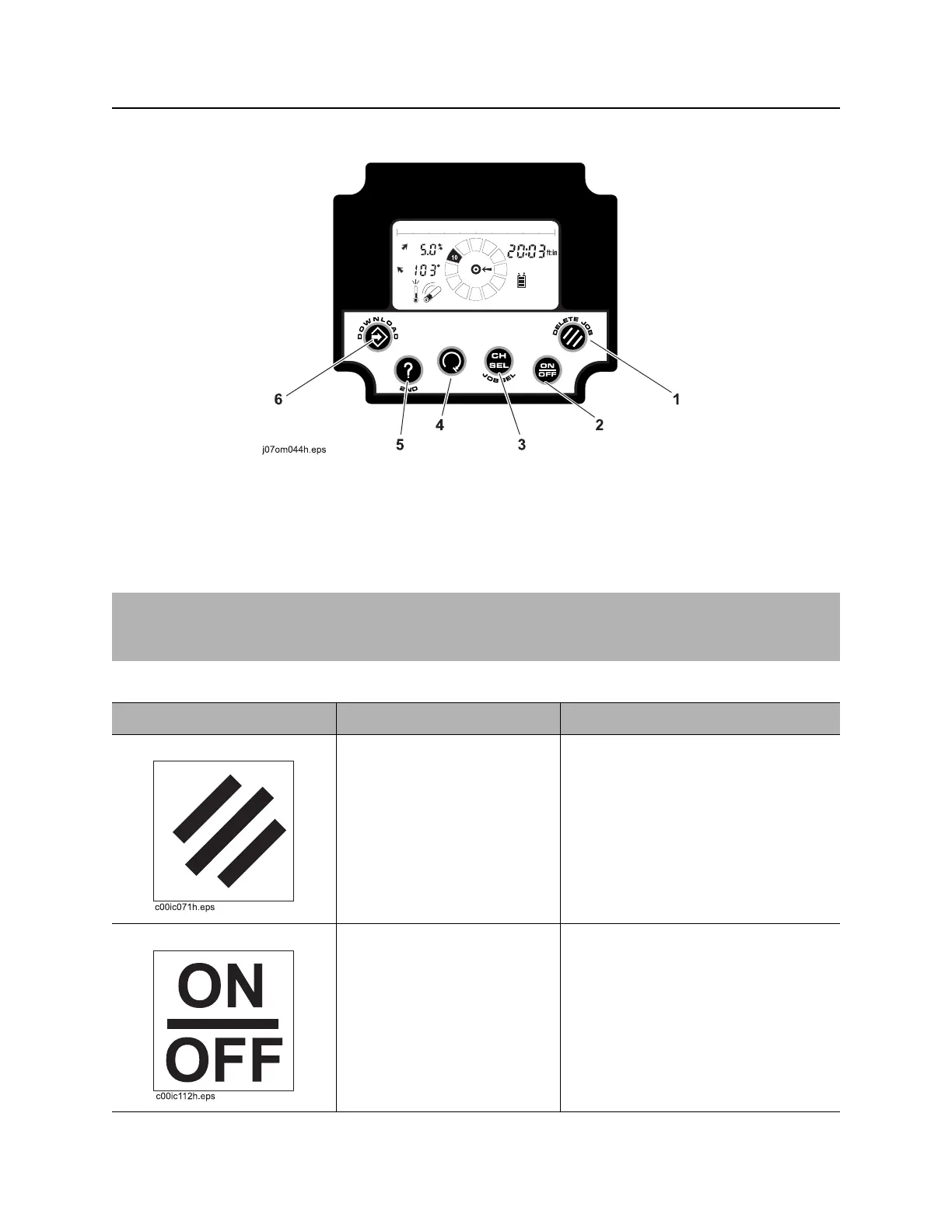
750/752 Display
CMW
Controls
1. Delete button
2. On/Off button
3. Channel select button
4. Roll stop button
5. Recall button
6. Store button
IMPORTANT: Some items operate differently depending where data is being saved. Internal refers to
pipe data being saved to 750 Display memory. External refers to pipe data being sent to a properly
connected laptop computer running a version of Trac Management System software.
Item Description Notes
1. Delete button To delete current pipe, press.
Second function:
To delete all jobs in internal
logging memory, press with
Recall button.
Previous pipe number will appear in
numeric display when data is deleted.
2. On/Off button To turn on, press.
To turn off, press again.



 To Next Page