XT855 Operator’s Manual Controls - 29
Joysticks
CMW
Item Description Notes
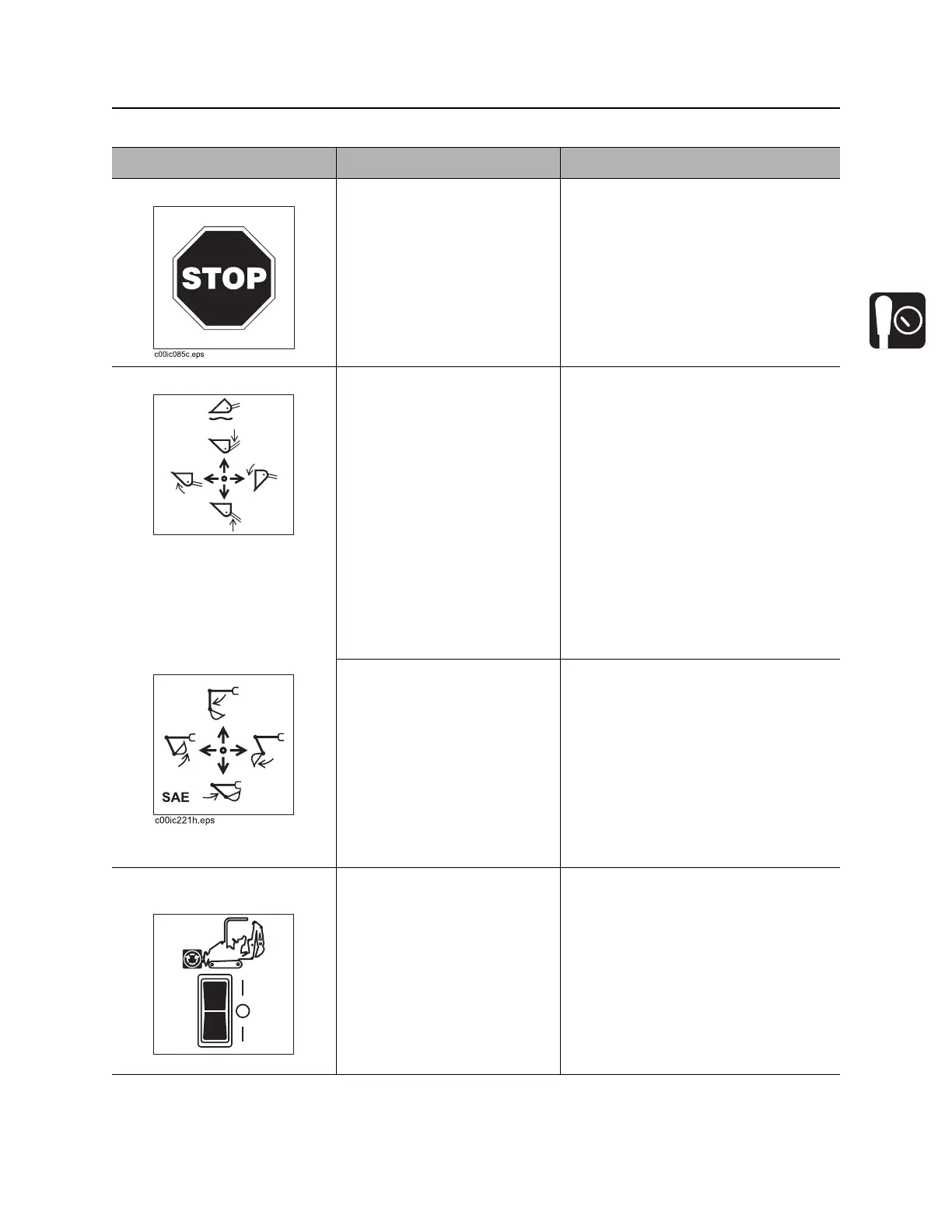
1. Engine stop button Stops engine immediately. IMPORTANT:
• Except in an emergency, move
throttle to idle before using stop
switch.
2. Right joystick With work mode switch in
tool carrier mode:
• To move lift arms down,
push.
• To float, push forward to
end. Control will lock into
float position.
• To move lift arms up, pull.
• To curl attachment up,
move to left.
• To curl attachment down,
move to right.
IMPORTANT:
• Control can perform more than
one action at a time. Using them
together, operator can “feather” or
combine operations.
• Do not exceed rated operating
capacity when lifting loads. See
page 98.
With work mode switch in
excavator mode:
• To open bucket, move
right.
• To close bucket, move
left.
• To move dipper in, pull.
• To move dipper out, push.
IMPORTANT: SAE excavator control
pattern is shown. For information
about ISO control pattern, see
“Operate Controls” on page 69.
3. Attachment drive
switch
To engage attachment drive
in forward, push top. Switch
will lock into forward position.
To engage attachment drive
in reverse, push and hold
bottom.
IMPORTANT: See “Auxiliary hydraulic
fluid flow/pressure indicator” on
page 24.
c00ic223h.eps
c00ic228h.eps
F
R



 To Next Page