5
IP1776EN 2012-02-20
5. COMMANDS
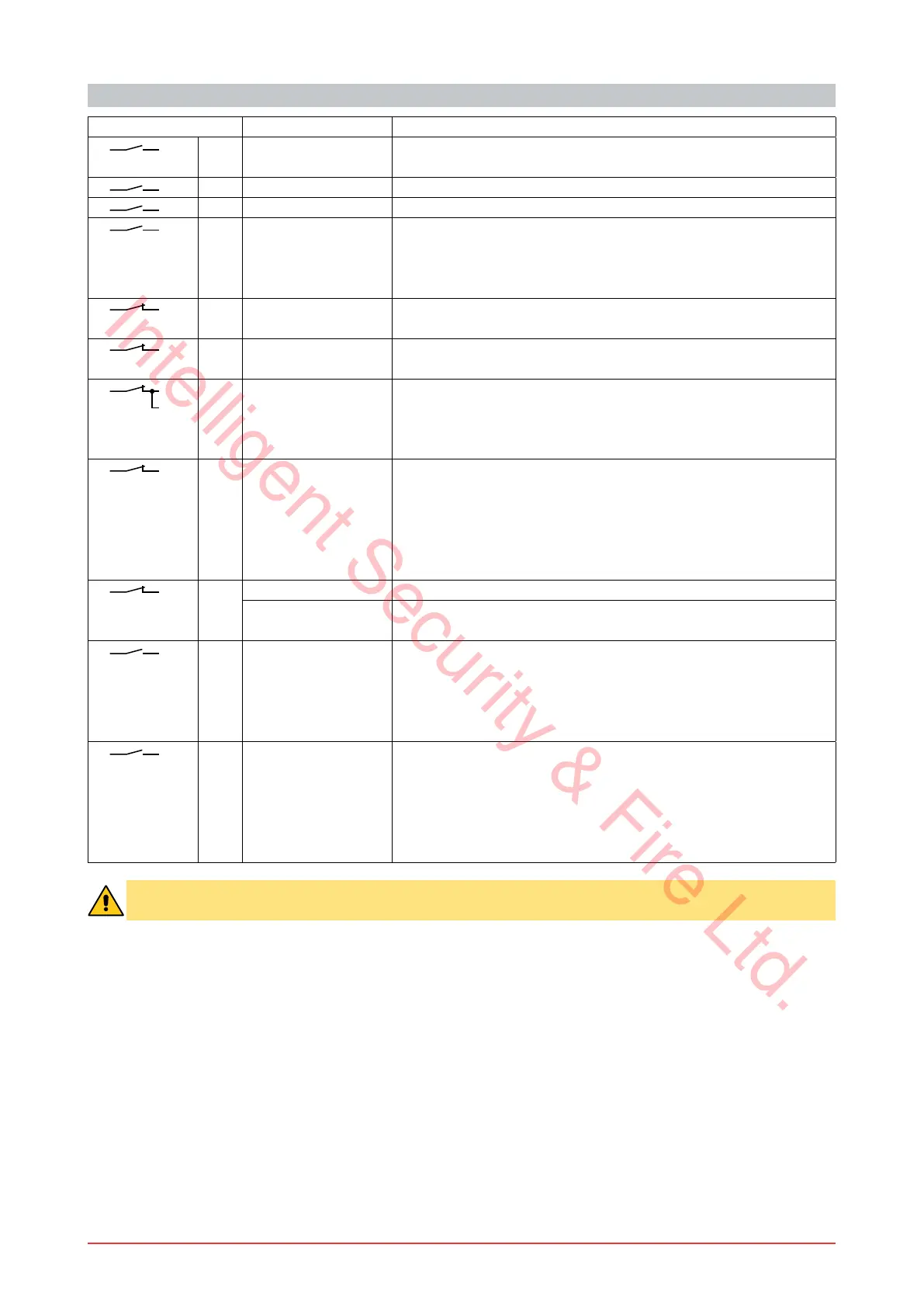
Command Function Description
1
2 N.O. AUTOMATIC
CLOSING
The permanent closing of the contact enables automatic clos-
ing.
1
3 N.O. OPENING The closing of the contact activates the opening operation.
1
4 N.O. CLOSING The closing of the contact activates the closing operation.
1 5 N.O. STEP-BY-STEP The closing of the contact activates opening or closing operations
in the following sequence: open-stop-close-open.
NOTE: if automatic closing is enabled, the stop is not permanent
but lasts for a duration set by TC.
1
6 N.C. OPENING
SAFETY
The opening of the safety contact stops the opening operation in
progress and prevents future opening operations.
1
7 N.C. CLOSING
SAFETY
The opening of the safety contact stops the closing operation in
progress and prevents future closing operations.
1
6
7
N.C. SAFETY STOP All operations are stopped and/or blocNed when the safety con-
tact is opened.
NOTE: it does not carry out the disengagement operation.
WARNING: use with photocells only.
1
8 N.C. REVERSE
SAFETY CONTACT
The opening of the safety contact triggers a reversal of motion
(re-opening) during closing.
With SO=ON with the automation stopped, the opening of the
contact prevents any operation.
With SO=OFF with the automation stopped, the opening of the
contact only prevents the closing operation.
1
9 N.C. STOP The opening of the safety contact stops the current operation.
EMERGENCY
STOP
Connect the opening and closing commands to terminal 9 instead
of terminal 1 (9-3, 9-4, 9-20).
1 9 N.O. HOLD-TO-RUN
FUNCTION
The opening of the 1-9 contact enables the hold-to-run function:
- hold-to-run opening 1-3;
- hold-to-run closing 1-4.
NOTE: any safety device, automatic closing and plug-in card
inserted in AUX1 or AUX2 is disabled.
1
20 N.O. PARTIAL OPENING The closing of the contact activates a partial opening operation
of motor 1 (M1) of the duration set with the RP trimmer.
Once the automation stops, the partial opening control per-
forms the opposite operation to the one performed before stop.
NOTE: if automatic closing is enabled, the stop is not permanent
but lasts for a duration set by TC.
WARNING: make a jumper for all the N.C. contacts if not in use. The terminals with the same number
are equal.
Intelligent Security & Fire Ltd.



 To Next Page