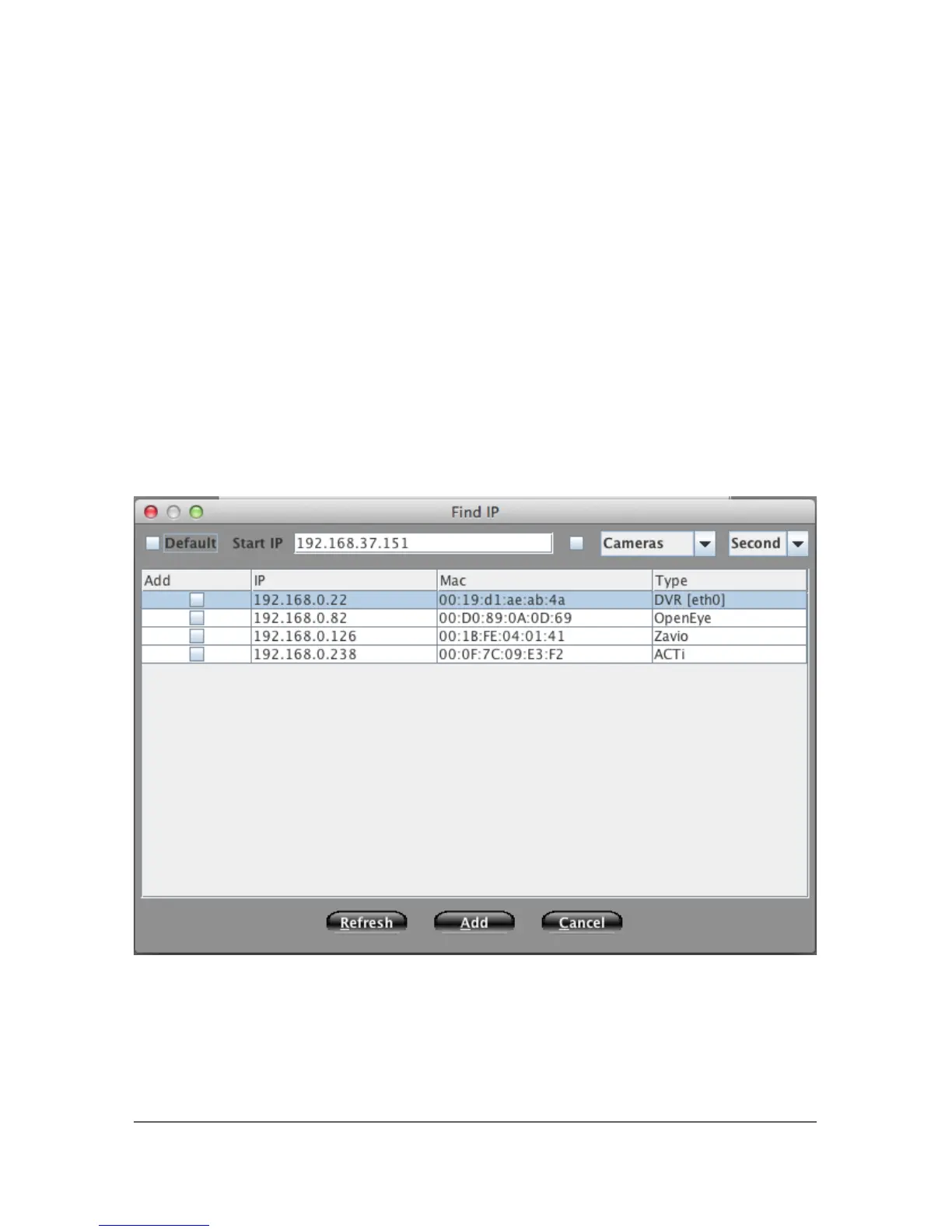
5.2.2 Find Utility
To find available camera devices on the network that are accessible to the NVS,
click the Find button at the bottom right of the Device Window. This will bring
up a list of devices that can be added to your NVS. Using the drop down menus
you can filter which devices you would like to see (cameras, network devices,
NVRs, etc.) as well as the network you would like to search.
Devices can then be selected by checking the box to the left of the device name,
IP addresses changed and the Dividia Camera defaults applied using the proper
checkboxes at the top of the window.
Note: The Dividia default option will format the camera to optimally function
with the NVS hardware/software. Using this default is highly recommended to
ensure the best performance from the camera and the NVS system.
25



 To Next Page