DJI Avata
User Manual
20
© 2022 DJI All Rights Reserved.
Make sure the goggles and the remote control device are within 0.5 m of the aircraft during linking.
To switch between the aircraft or air unit, enter the goggles menu and select before linking. For DJI
Goggles 2, enter the Status page to select the aircraft or air unit. For DJI FPV Goggles V2, switch in
Settings and then go to About page.
The aircraft can be controlled with only one remote control device during ight. If your aircraft has been
linked with multiple remote control devices, turn o other remote control devices before ight.
Activation
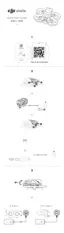
DJI Avata must be activated before using for the rst time. Make sure all devices are linked after powering on the
aircraft, goggles, and remote control device. Connect the USB-C port of the goggles to the mobile device, run DJI
Fly, and follow the prompts to activate. An internet connection is required for activation.
DJI Fly
App
USB-C
OTG


 To Next Page