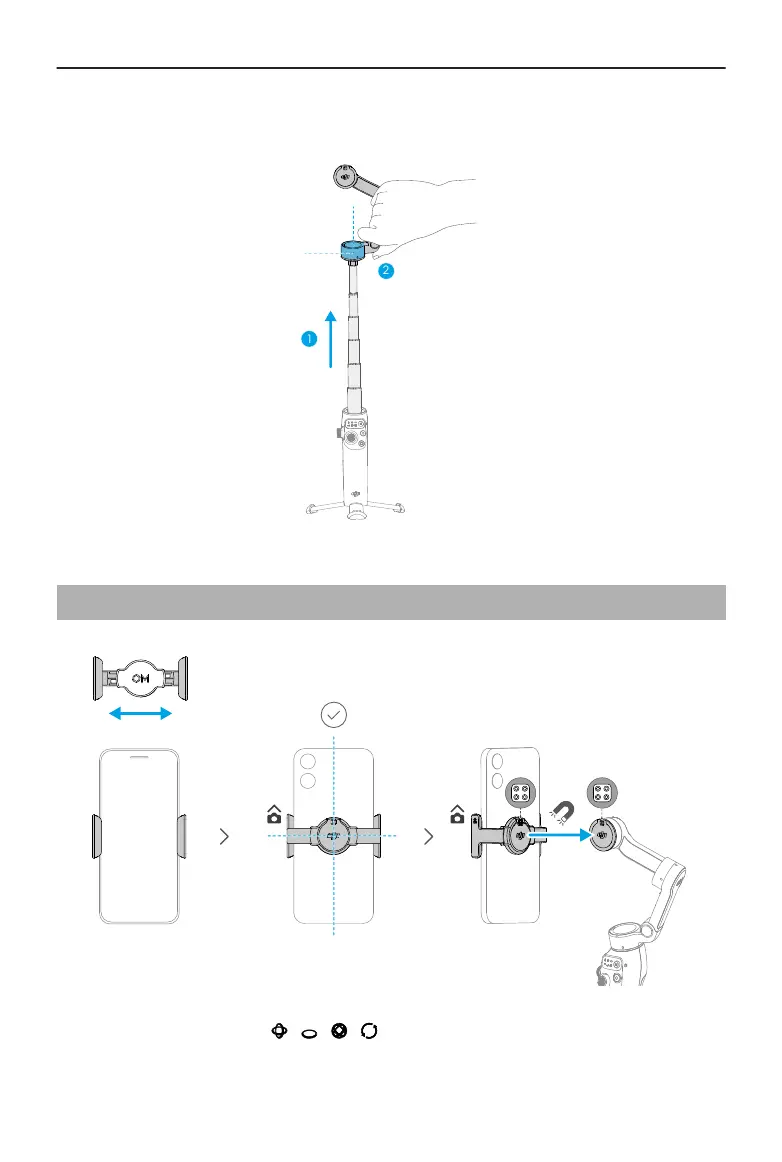
If you extend the built-in extension rod, make sure to adjust the Pan Motor to be level
with the ground. This ensures balance after the phone is attached to the gimbal.
2.3 Attaching the Phone
A steady gimbal mode light ( / / / ) indicates that the gimbal is stabilizing the
phone. If the light is not displayed after you attach the phone, press the M button to
enable stabilization.
Osmo Mobile 7 / 7P User Manual
10 © 2025 DJI All Rights Reserved.


 To Next Page