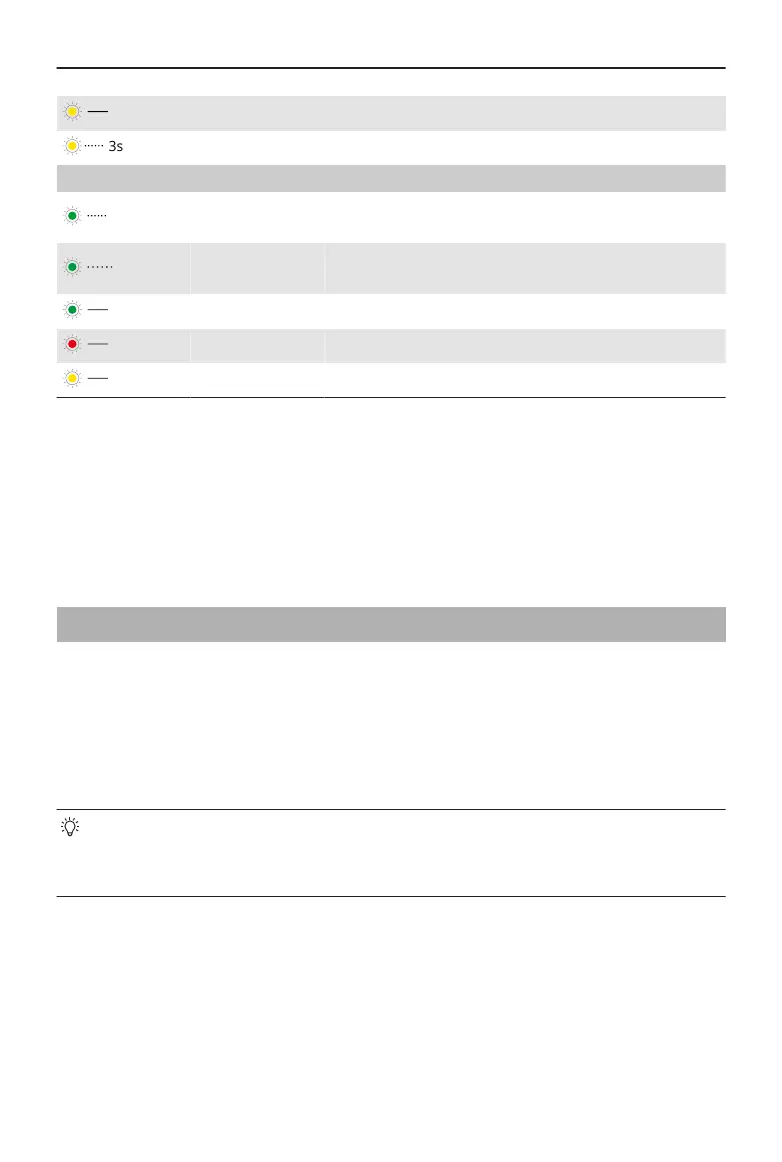
Solid yellow Composition being adjusted
Blinks yellow Countdown for photo shooting or video recording
2. Wireless Microphone Status Indicator
Blinks green
quickly
Multifunctional Module pairing with a transmitter
Blinks green
slowly
Multifunctional Module paired with a transmitter
but not connected to the phone using the cable
Solid green Ready for audio recording
Solid red Battery less than 10% for the paired transmitter
Solid yellow Noise cancelling enabled for the paired transmitter
Firmware Update
Make sure that Multifunctional Module is properly installed.
When using DJI Mimo to update the gimbal rmware, the module rmware is updated
together. Please wait for the upgrade to complete.
4.2 Remote Control With Watch
You can use DJI Mimo on an Apple Watch to view the camera feed, control the gimbal, and
enable ActiveTrack remotely.
1. Pair the watch with your phone and install DJI Mimo on both devices.
2. Run DJI Mimo on the phone, connect to the gimbal, and enter the camera view.
3. Run DJI Mimo on the watch to start remote control.
• Keep the devices within the Bluetooth range.
• To view the supported watch devices, visit https://www.dji.com/osmo-mobile-7-
series/faq.
Osmo Mobile 7 / 7P User Manual
28 © 2025 DJI All Rights Reserved.


 To Next Page