3.4 Buttons and Ports
The following features are based on DJI Mimo. Support for certain features in the system
camera may vary depending on the phone model. For more information, visit https://
www.dji.com/osmo-mobile-7-series.
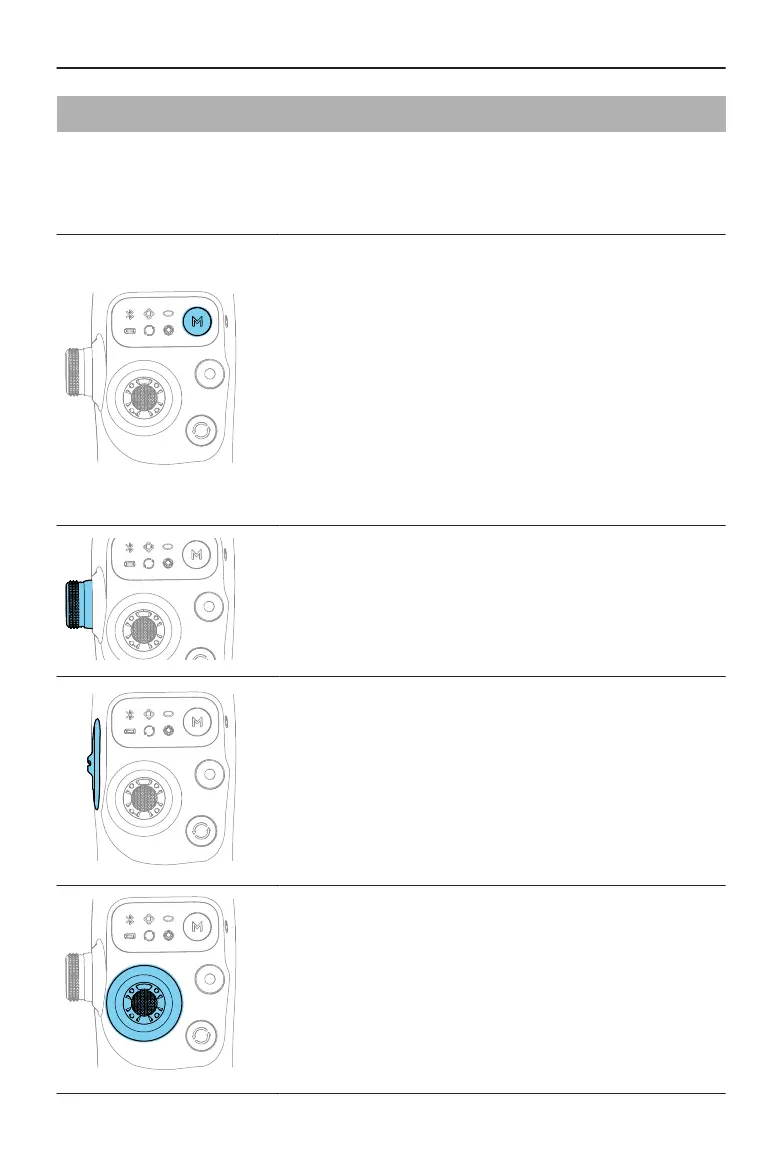
Power/M Button
When powered o
With the gimbal folded, press once: Check the battery lev-
el
With the gimbal unfolded, press once: Power on
When powered on
Press once: Switch between gimbal modes
Press three times: Enter standby mode (press any button
to exit)
Press and hold: Power o
* The M button can also control phone charging using the
gimbal or Multifunctional Module.
Side Wheel (Osmo Mobile 7P)
Press once: Switch between focus and zoom
Rotate: Control focus or zoom
* The side wheel can control the ll light when used with
Multifunctional Module.
Zoom Slider (Osmo Mobile 7)
Push once: Switch between preset zoom levels
Push continuously: Change zoom continuously
Joystick
Move vertically and horizontally to tilt and pan the mobile
phone. The joystick control direction can be set in DJI
Mimo.
Osmo Mobile 7 / 7P User Manual
16 © 2025 DJI All Rights Reserved.


 To Next Page