Fill Light
Make sure that Multifunctional Module is properly installed.
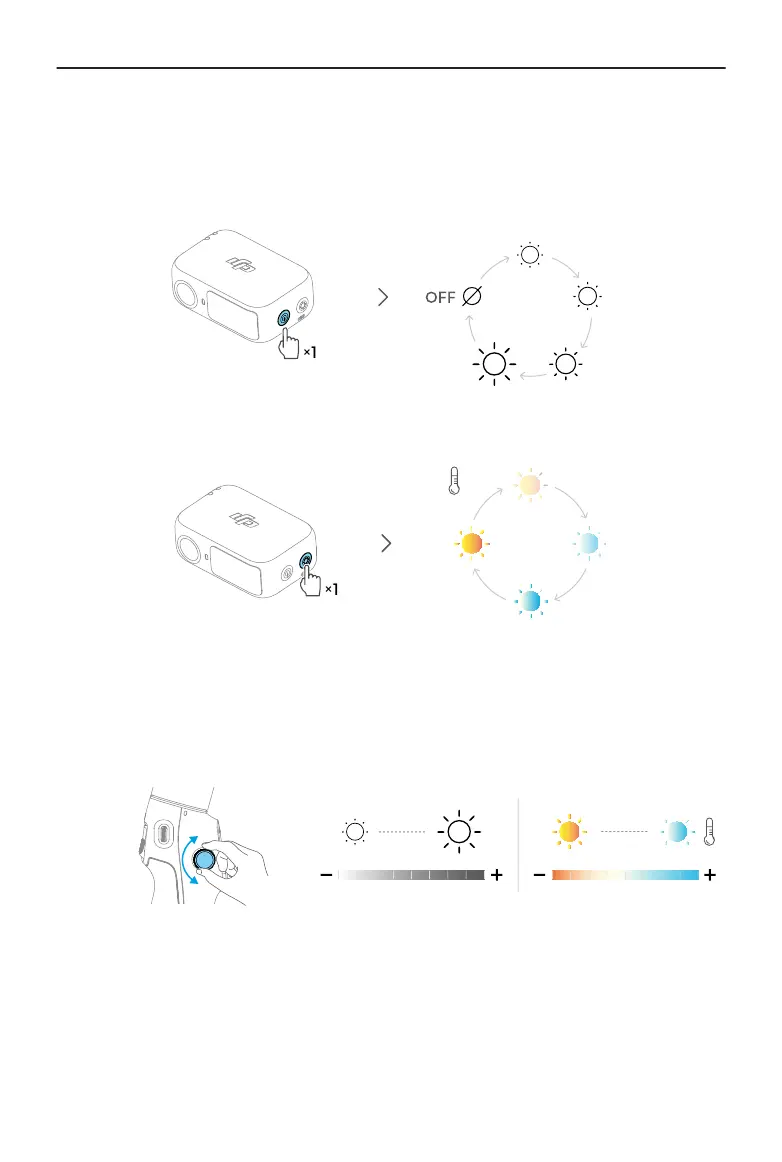
Adjust brightness:
Adjust color temperature:
Osmo Mobile 7P allows you to control the ll light on Multifunctional Module using the
side wheel:
• Press and hold: Turn on/o the ll light
• Rotate: Adjust brightness or color temperature
• Press once: Switch between controlling brightness and color temperature
• Press twice in DJI Mimo: Set the eect of rotating the side wheel to focus/zoom
control or brightness/color temperature control
Osmo Mobile 7 / 7P User Manual
24 © 2025 DJI All Rights Reserved.


 To Next Page