• To achieve optimal gesture recognition, keep the subject 0.5m to 3m away from
the tracking camera.
• During tracking, keep the subject 0.5m to 8m away from the tracking camera.
Tracking
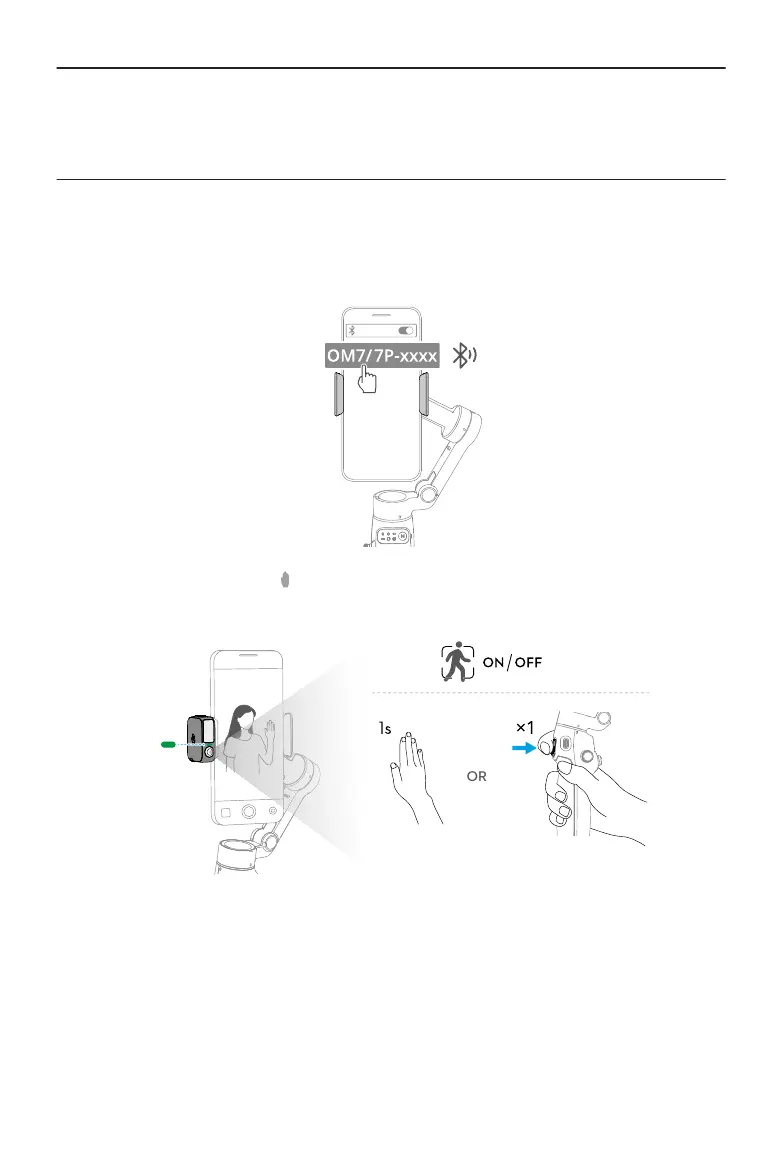
1. Enable Bluetooth on the phone and connect to the gimbal.
2. Enable tracking: Show the gesture to the camera or press the trigger. The indicator
turns solid green.
3. Adjust the composition as needed during tracking.
Osmo Mobile 7 / 7P User Manual
22 © 2025 DJI All Rights Reserved.


 To Next Page