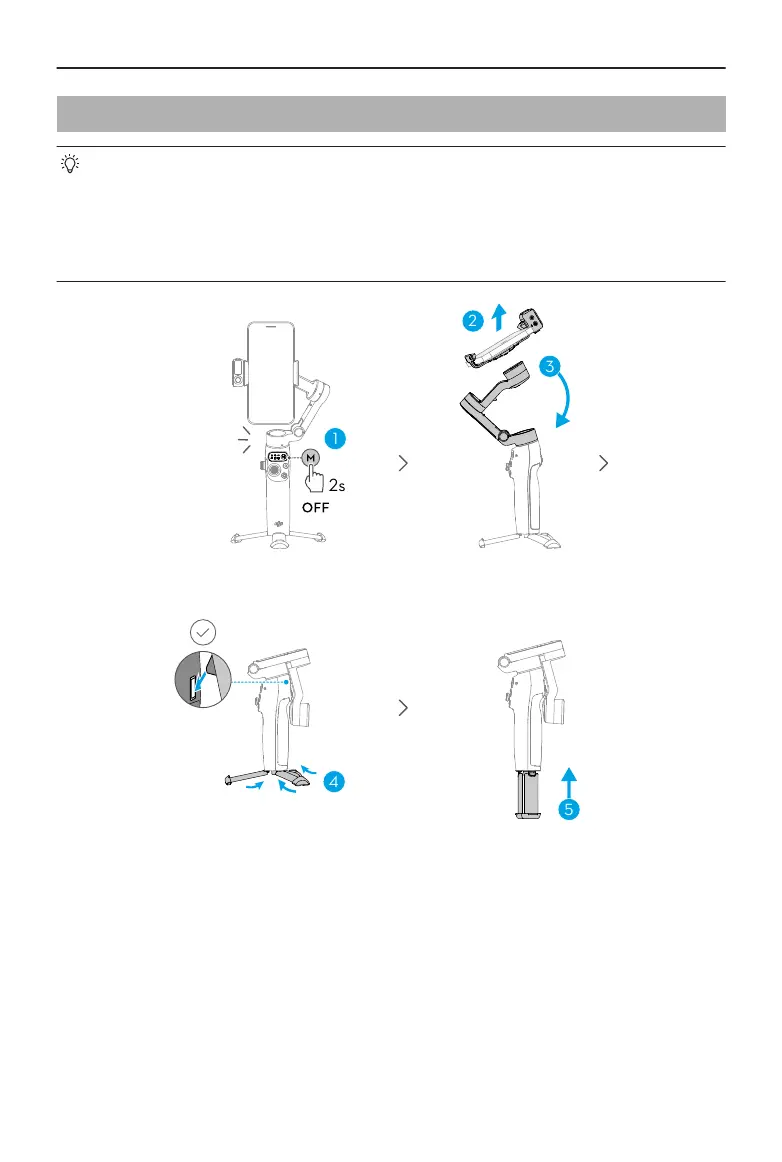
3.6 Storage
• For Osmo Mobile 7P, retract the extension rod before performing the following
steps.
• When the gimbal powers o, it automatically rotates to the folding position.
Remove the phone, phone clamp, and Multifunctional Module together. For the
next use, attach them as a whole and unfold the gimbal to start shooting.
Osmo Mobile 7 / 7P User Manual
© 2025 DJI All Rights Reserved. 19


 To Next Page