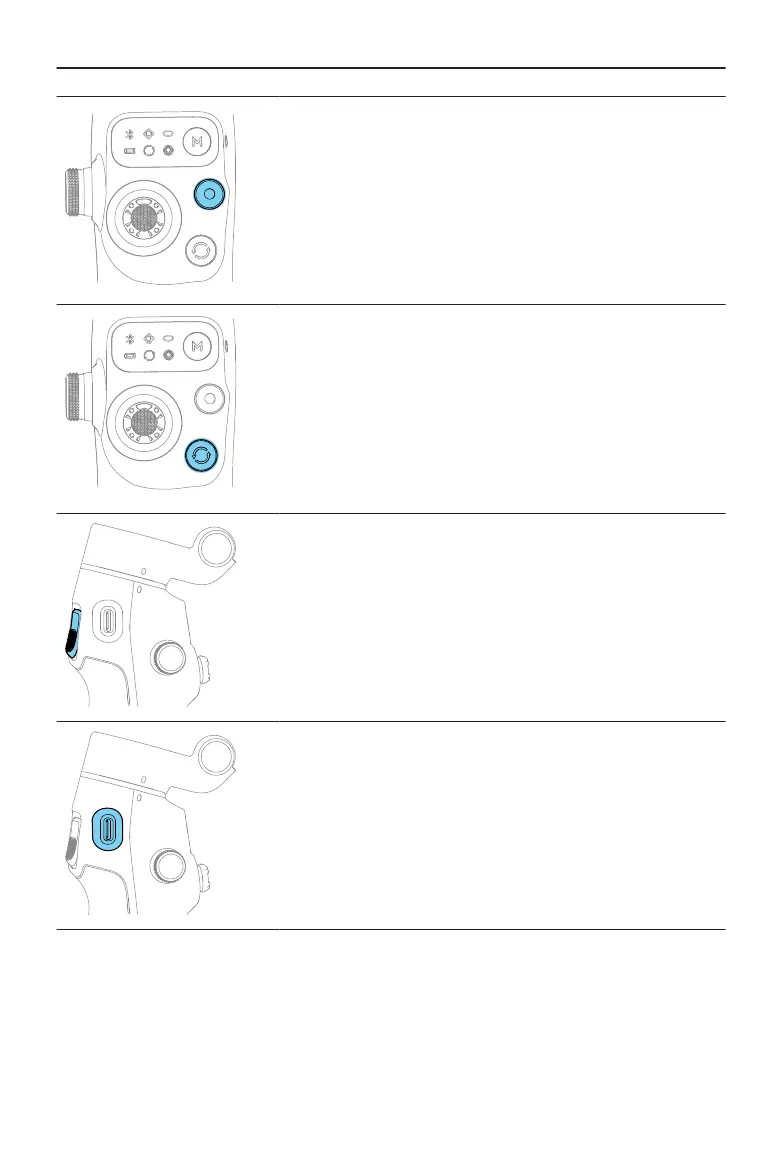
Shutter/Record Button
Press once: Take a photo or start/stop recording
Press twice: Take a photo during recording
Press and hold: Burst shooting when in photo mode
Switch Button
Press once: Switch between front and rear cameras
Press twice: Switch between landscape and portrait
modes
Press three times: Switch between photo and video
modes
Trigger
Press once: Start or stop ActiveTrack
Press twice: Recenter the gimbal
Press three times: Rotate the phone 180 degrees in the
horizontal plane
Press once, and then press and hold: Adjust the follow
speed to fast mode. Release to exit.
Press and hold: Enter lock mode. Release to exit.
Charging Port (USB-C)
Charging the gimbal
Charging the phone
Osmo Mobile 7 / 7P User Manual
© 2025 DJI All Rights Reserved. 17


 To Next Page