4
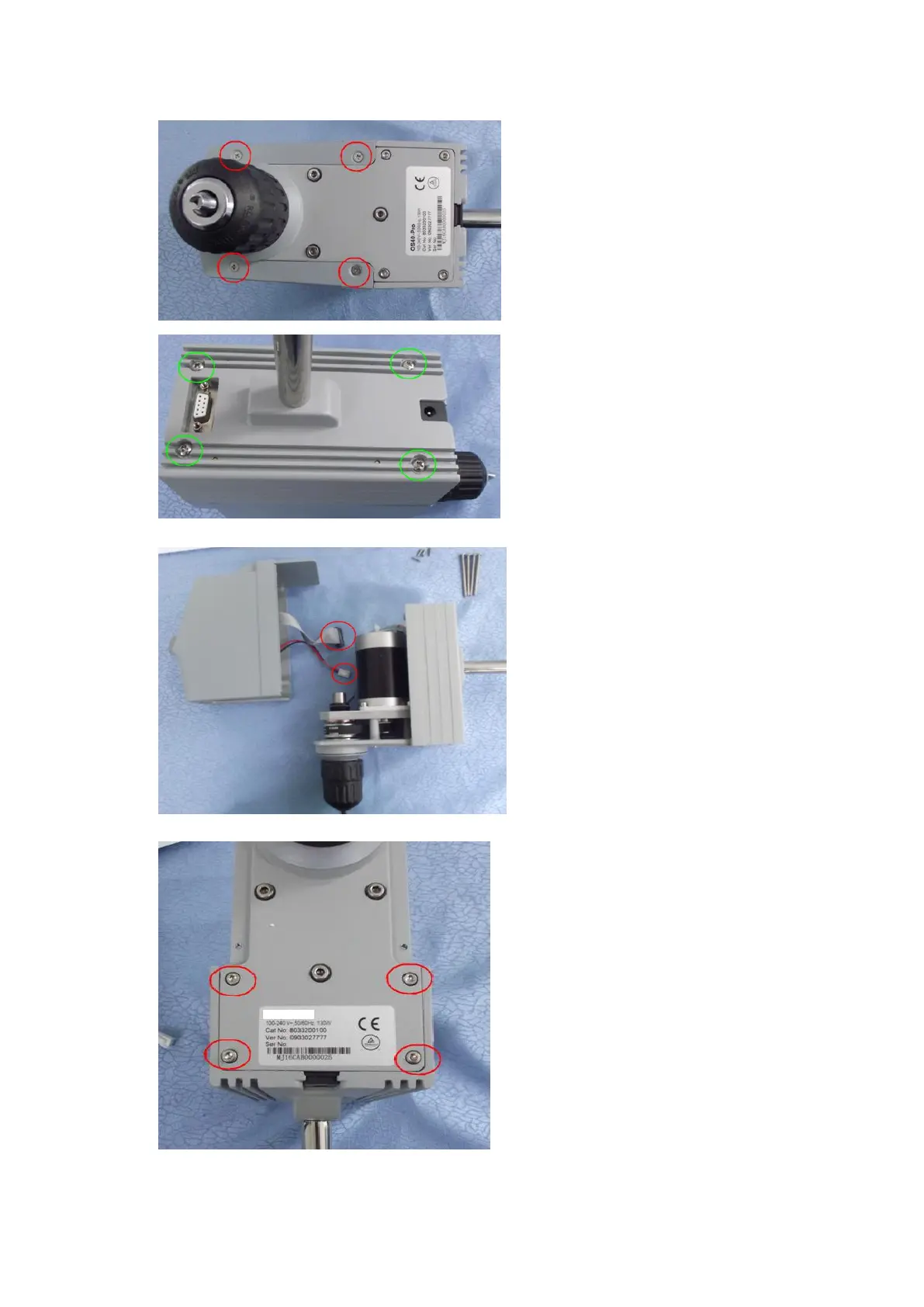
Step 1:
Turn over the instrument, remove
the four screws marked red circles
and keep them to be properly
preserved. Remove the screws
marked green circles at the back of
the instrument and keep them to be
properly preserved.
Step 2:
Separate the front and rear guard,
and respectively pull out cables
marked by red circle.
The front and rear guard are
placed at the positions as shown in
the Fig., and conduct a analysis on
the failure.
Step 3:
Remove the 4 screws marked by
red circles and keep them well.


 To Next Page
 Loading...


