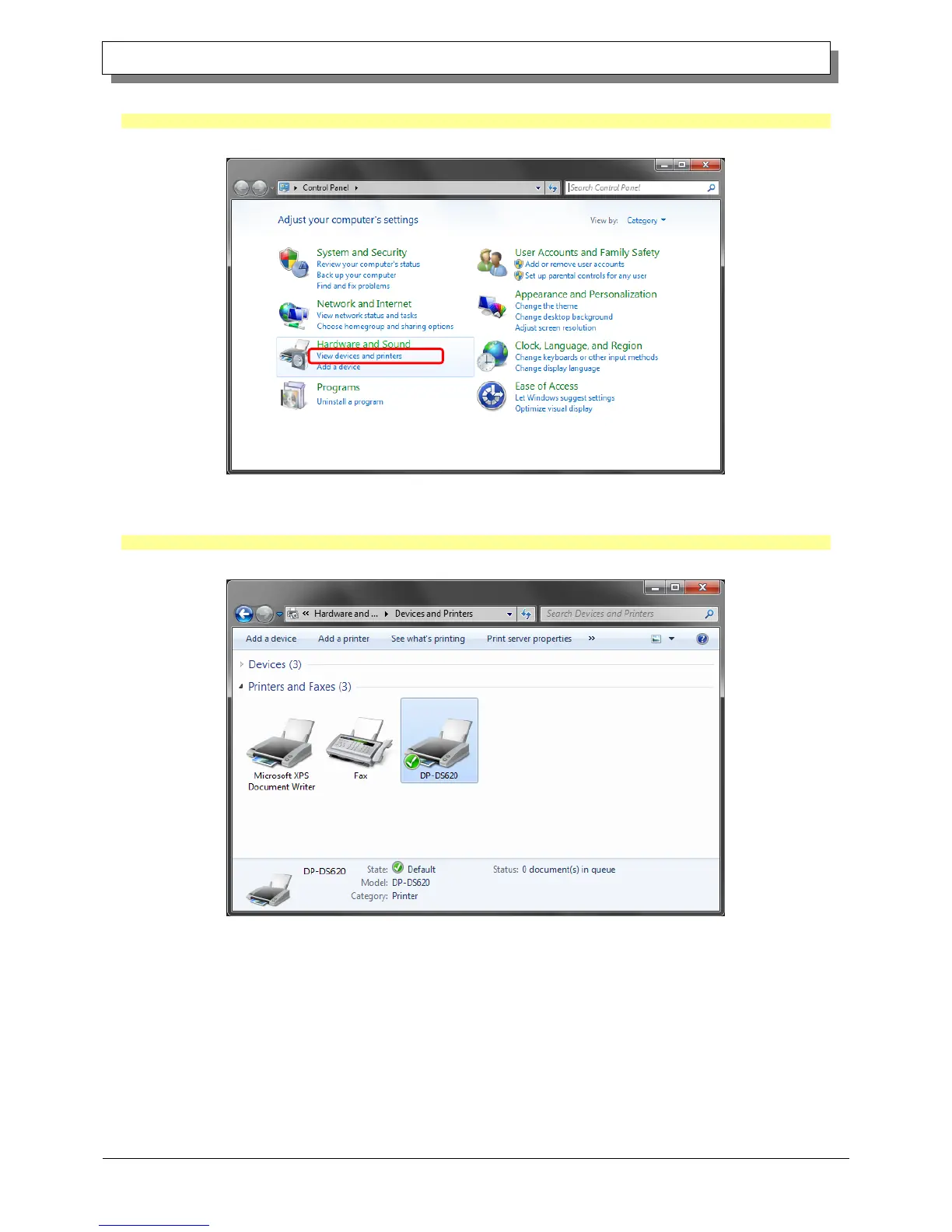
Click "Start", and then click "Control Panel" to open the Control Panel.
In Windows 8, right click the Start screen. In the bottom right area, select All Apps, and then select Control Panel.
In Control Panel, click "View devices and printers".
Figure 1.13 Control Panel
In Devices and Printers, make sure that “DP-DS620” is present.
Note: In Windows 8, when the printer is offline (the printer is not on and connected), the DP-DS620 icon is not displayed.
This completes installation of the DP-DS620 printer driver.
Figure 1.14 Devices and Printers screen
After the installation of the printer driver is complete, always restart the computer.



 To Next Page