Dai Nippon Printing Co., Ltd.
[DP-DS620/DP-DS620 (A) Printer Driver] User’s Manual (For Windows 7, 8)
< Paper size (6x4) x N setting >
If you set the paper size setting to (6 x 4) x N when printing 6 x 4 size to 6 x 8 size media, printing is optimized to
reduce consumption of the ribbon. Furthermore, if you set the paper size setting to (5x3.5) x N when printing 5 x 3.5
size to 5 x 7 size media, printing is similarly optimized to reduce consumption of the ribbon.
The above operation applies only to the DP-DS620. When (6x4)xN is selected with the DP-DS620 (A), printing is
performed the same as for (6x4)x2 without rewinding the ribbon. The same applies for (5x3.5)x2 even if (5x3.5)xN is
selected.
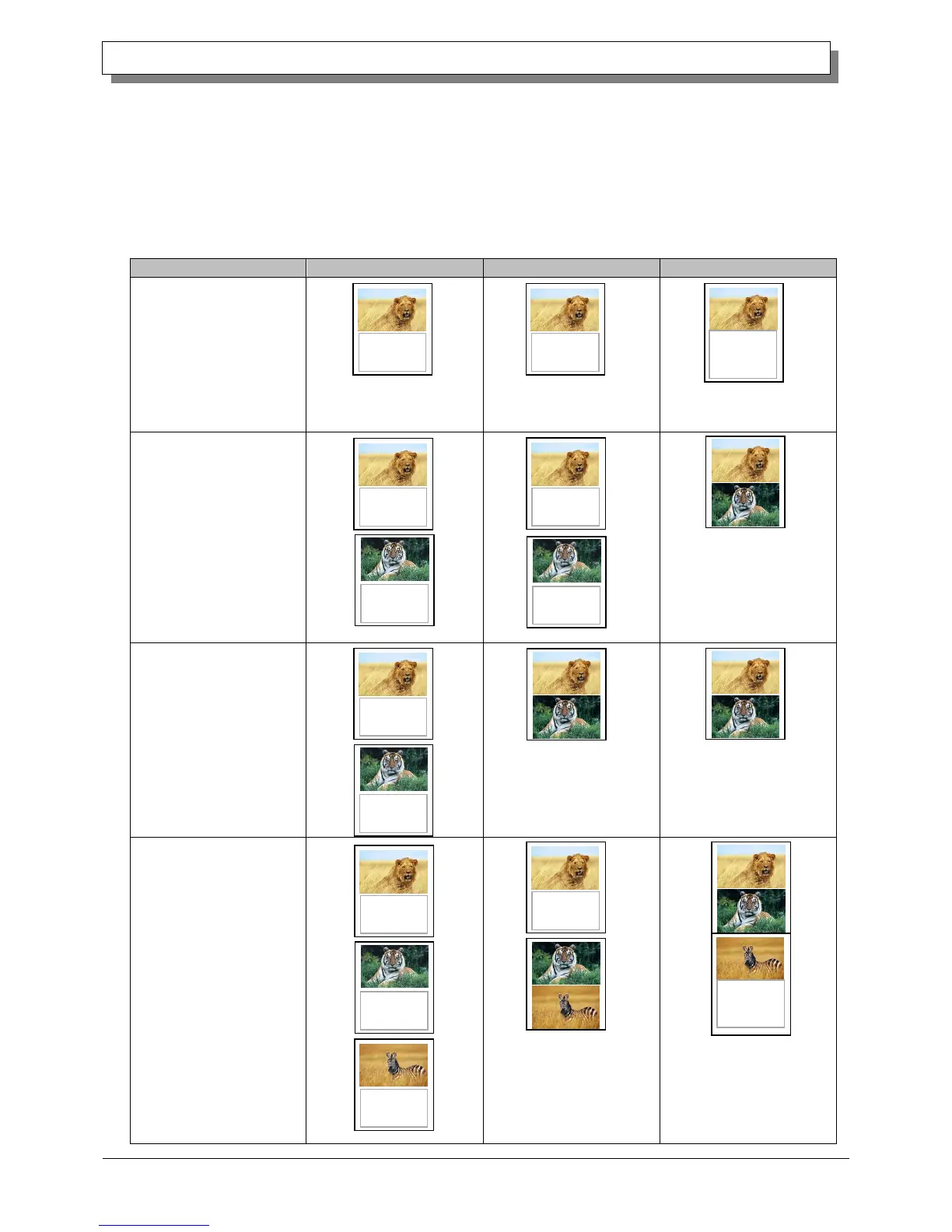
The following section shows the differences in ribbon consumption when (6x4), (6x4) x 2, or (6x4) x N is specified for
the paper size setting.
When printing one sheet at
6 x 4 size once
*After printing, the ribbon is
rewound and adjusted to the next
print position.
When printing one sheet at
6 x 4 size twice
*After the first sheet is printed, the
ribbon is rewound, and the second
sheet is printed.
When printing two sheets
at 6 x 4 size once
*Two sheets are printed at the
same time in a multiple layout.
*Two sheets are printed at the
same time in a multiple layout.
When printing one 6 x 4
size sheet once, and then
printing two 6 x 4 size
sheets once
*For the second and third sheets,
two sheets are printed at the same
time in a multiple layout.
*After the first sheet is printed, the
ribbon is rewound, and the second
and following sheets are printed.
Furthermore, after the third sheet is
printed, the ribbon is rewound and
adjusted to the next print position.
Used for
the next
printing
Used for
the next
printing



 To Next Page