DNP IMS America Corp. 3
Install Using the Found New Hardware Wizard Software Update Procedure
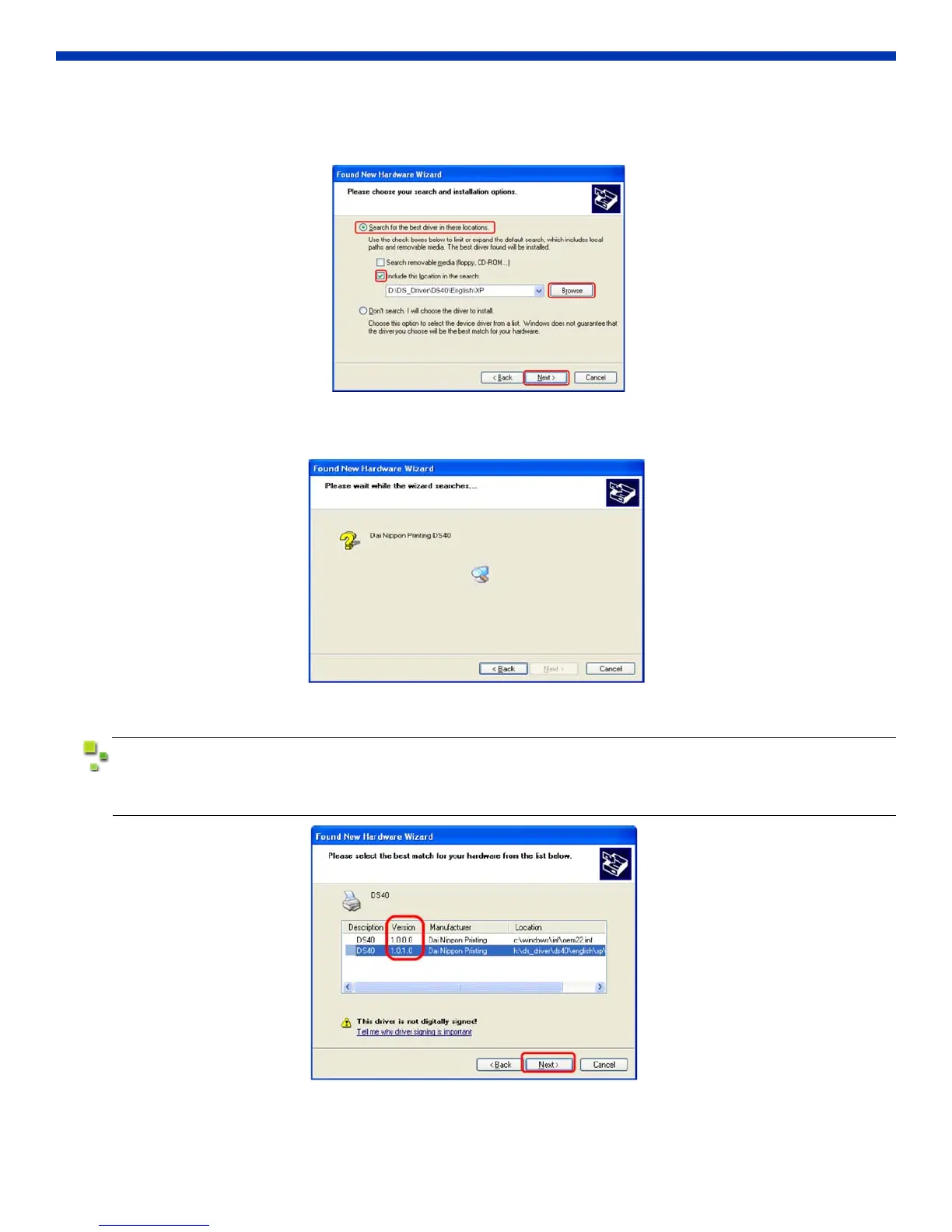
2. The next screen will ask you to choose search and installation options.
Select “Search for the best driver in these locations.” Check the “Include this location in the search” box.
Specify the location of the installation disk using the Browse button. Click Next.
Figure 3. Search and Installation Options
3. After searching for the driver file, the software installation begins.
Figure 4. Searching for Driver File
The following window (see below) may appear during the installation. Look at the Version column
and select the newest version. Click Next.
Figure 5. Version Number



 To Next Page