Cabinet Collector, Models 54-90
10
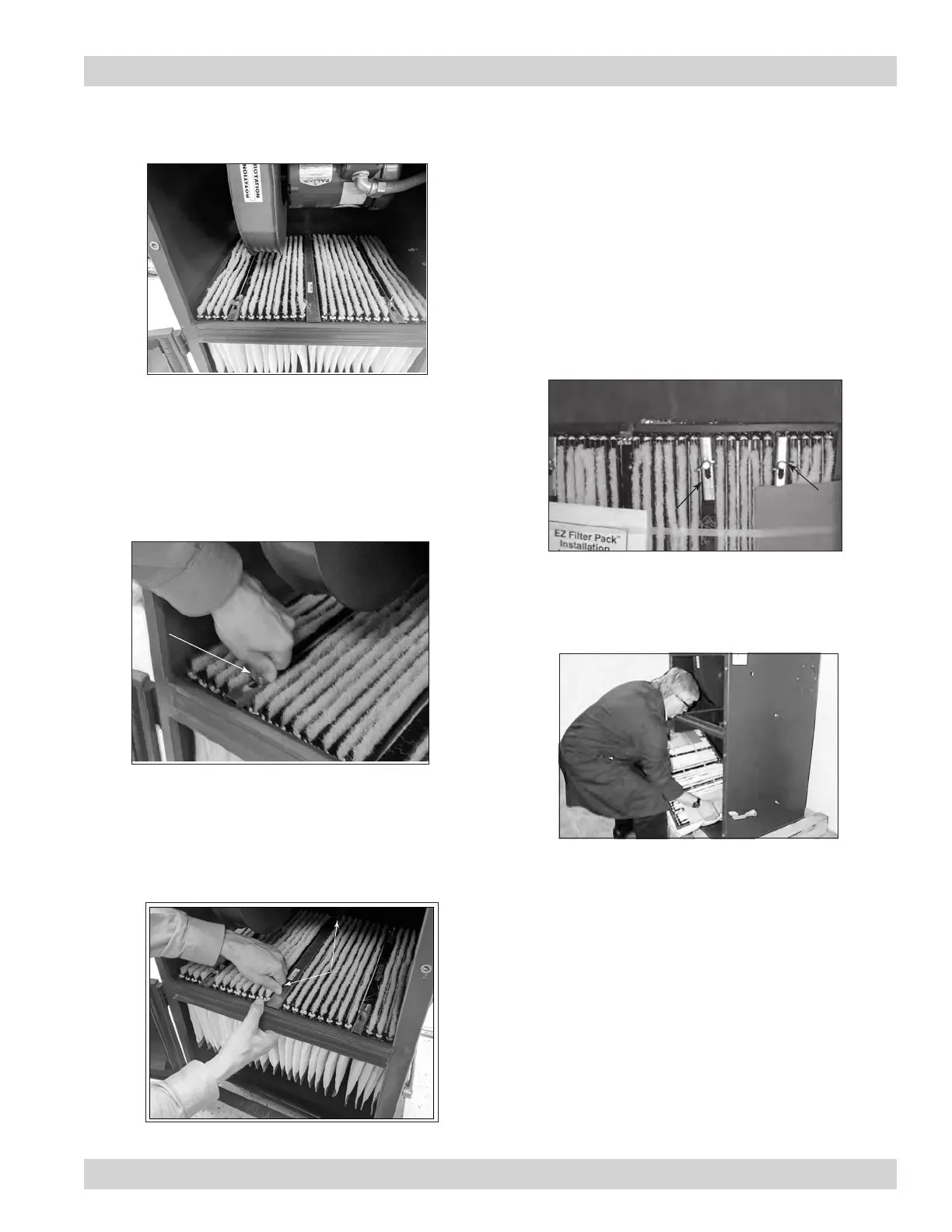
EZ Filter Pack Removal - Models 54-84
1. Remove upper door and open lower door.
1. Remove banded EZ Filter Pack from box. Do not
remove bands.
2. Fully loosen wing screws.
3. Move slide latches to the rear—away from gasket.
2. Loosen the filter pack slide latch wing screws and
move the slide latches away from the gasket by
sliding them inward. Note, this is easier when the
filter pack is supported with one hand on the bottom
side.
EZ Filter Pack Installation - Models 54-84
Step 2
Step 3
Step 1
Steps 1-3
Step 4
loosen wing
screws
slide to rear
4. Insert banded EZ Filter Pack over shaker bar.
4. Allow the filter pack to collapse in the center and
remove it by guiding it out the bottom side of the
sealing frame.
3. Remove the center support bar by unscrewing the
wing screws on each end. Note, this is easier when
the filter pack is supported with one hand on the
bottom side.



 To Next Page