D439E Service Manual 5. Service Tool
236
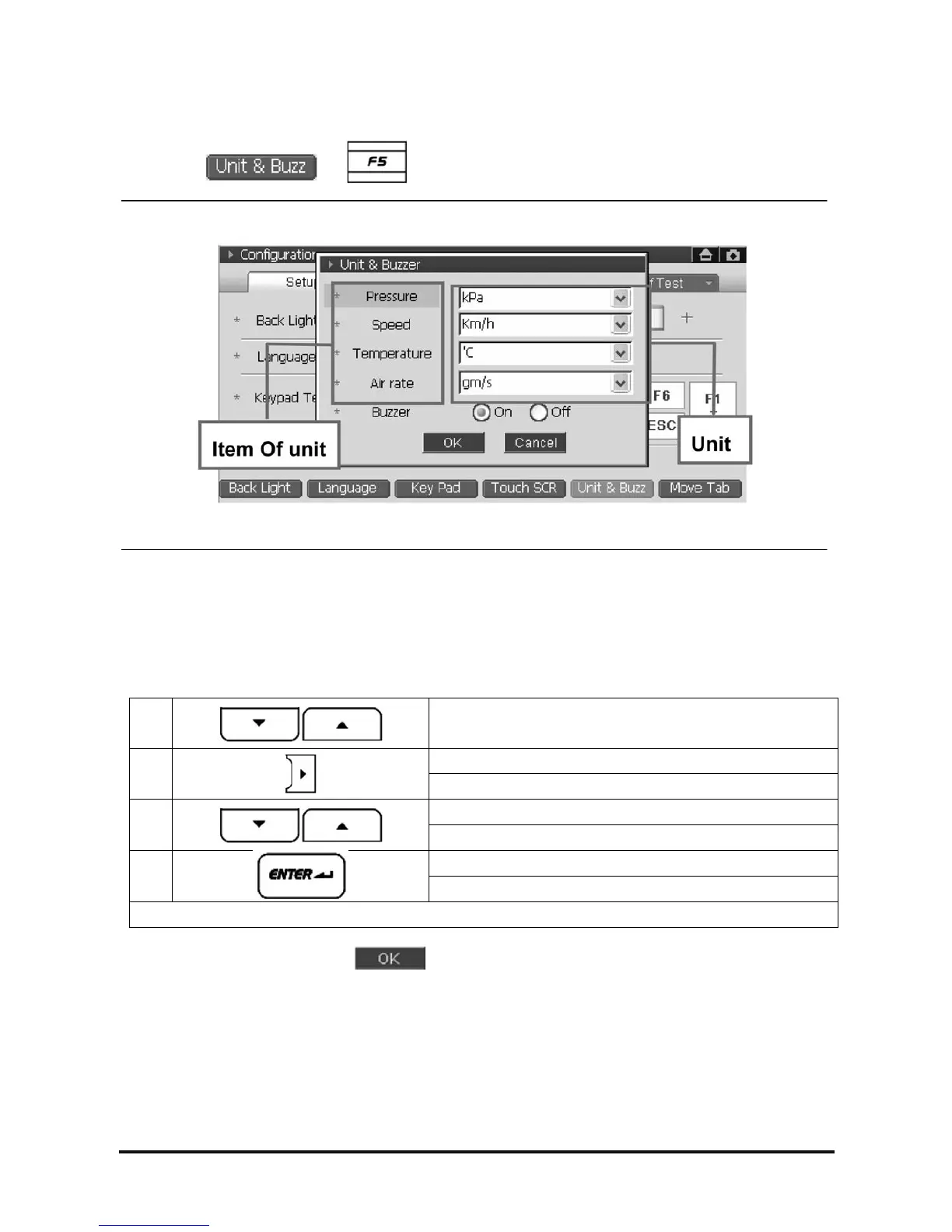
Setup for Unit and Buzzer ON/OFF
1. Selecting
or , following setup window will be shown.
<Figure 8: Unit & Buzzer setup>
2. Setup the Unit and Buzzer operation in the setup window.
• Using stylus pen, setup on the touch screen.
• Setup using the function button
①
Select the item of unit
Unit: Move to full down screen
②
Buzzer: Move to On/Off
Unit: Select the unit for display
③
Buzzer: Select ON or OFF
Unit: Move to setup list, after selection of unit.
④
Buzzer: Move to setup list, after selection of ON or OFF.
Repeat ①~④, setting-up the unit
3. After completing all items, select
at the bottom of setup window.
NOTE : The selected unit at this Tab is displayed on the diagnosis mode.



 To Next Page