D439E Service Manual 5. Service Tool
255
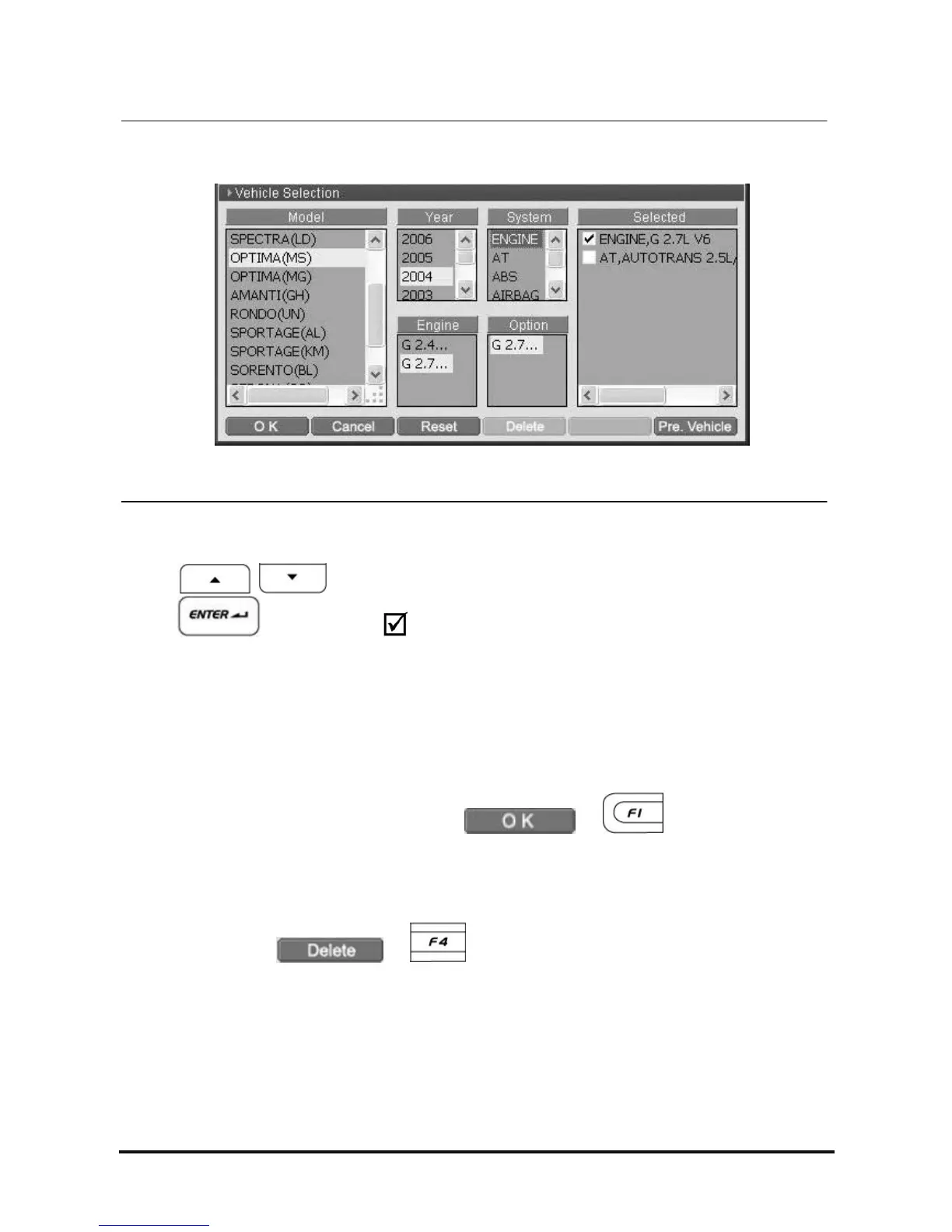
<Figure 7: Main Diagnosis System Selection>
7. Main Diagnosis System Selection
Using
buttons in the “Selected” zone, locate the cursor on the wanted system and
press
button. Then the mark will be shown in front of the system name as following
figure.
Main Diagnosis System : Multiple system communications are supported in “Fault Code Searching” function
only, Only one selected system (.. marked) will be communicated on other diagnosis functions.(eg: DTC
Analysis, Data Analysis, Flight Record and etc.)
8. Completion of vehicle selection
After selecting all systems to be diagnosed, select
or button to complete the
vehicle selection.
9. Delete the selected system
For deleting the system registered in the “Selected” zone, select the system to be deleted in the “Selected”
zone and then select
or button to be deleted.



 To Next Page