D439E Service Manual 5. Service Tool
272
Graph
1. Select the item to fix in text mode.
2. Select
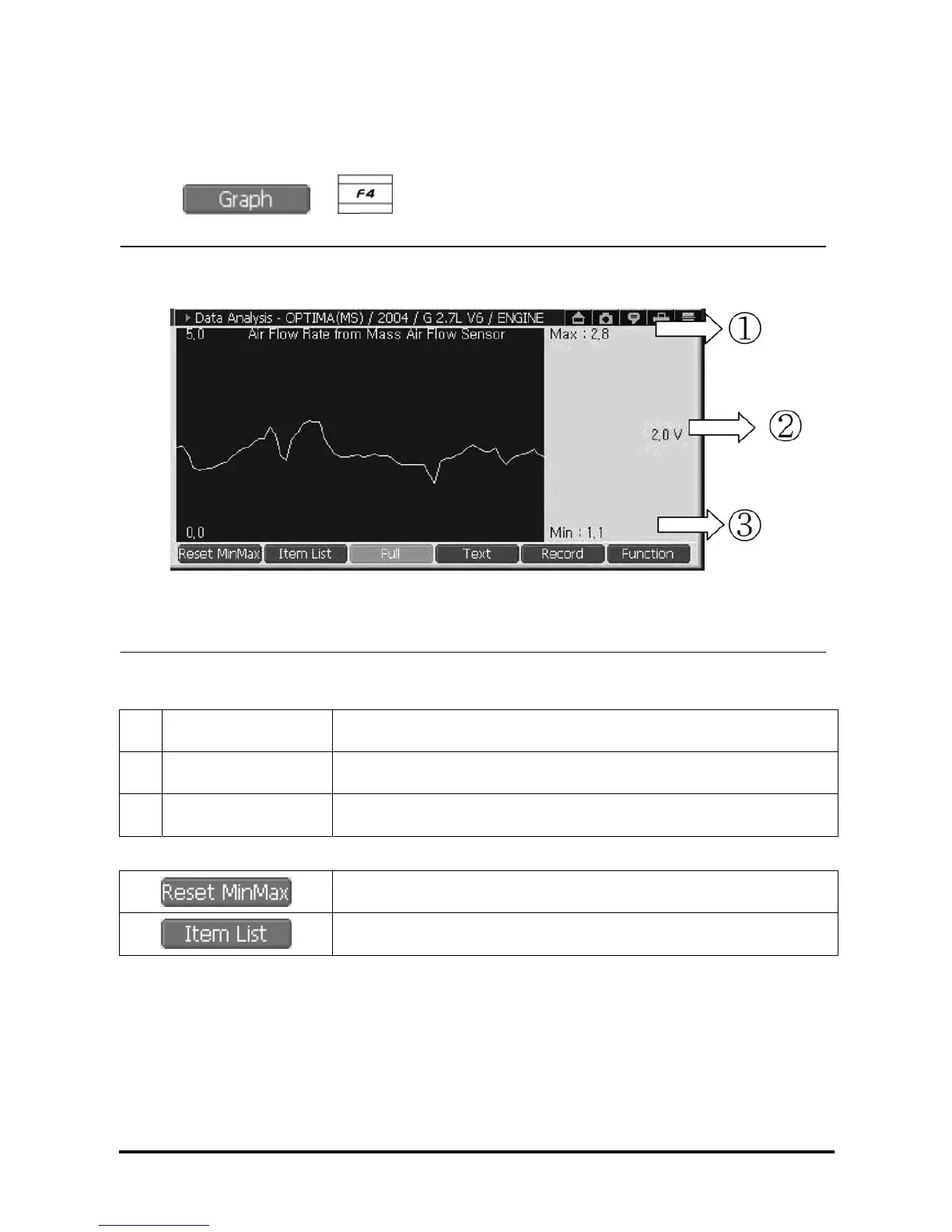
or button, then the selected item will be shown in graph mode as in
<Figure 4>.
<Figure 4: Graph mode>
①
Max
Maximum value of selected item’s output
②
Current
Current value of selected item’s output
③
Min
Minimum value of selected item’s output
Initialize the Max and Min values output in graph.
Change displayed item in graph mode.



 To Next Page