D439E Service Manual 5. Service Tool
294
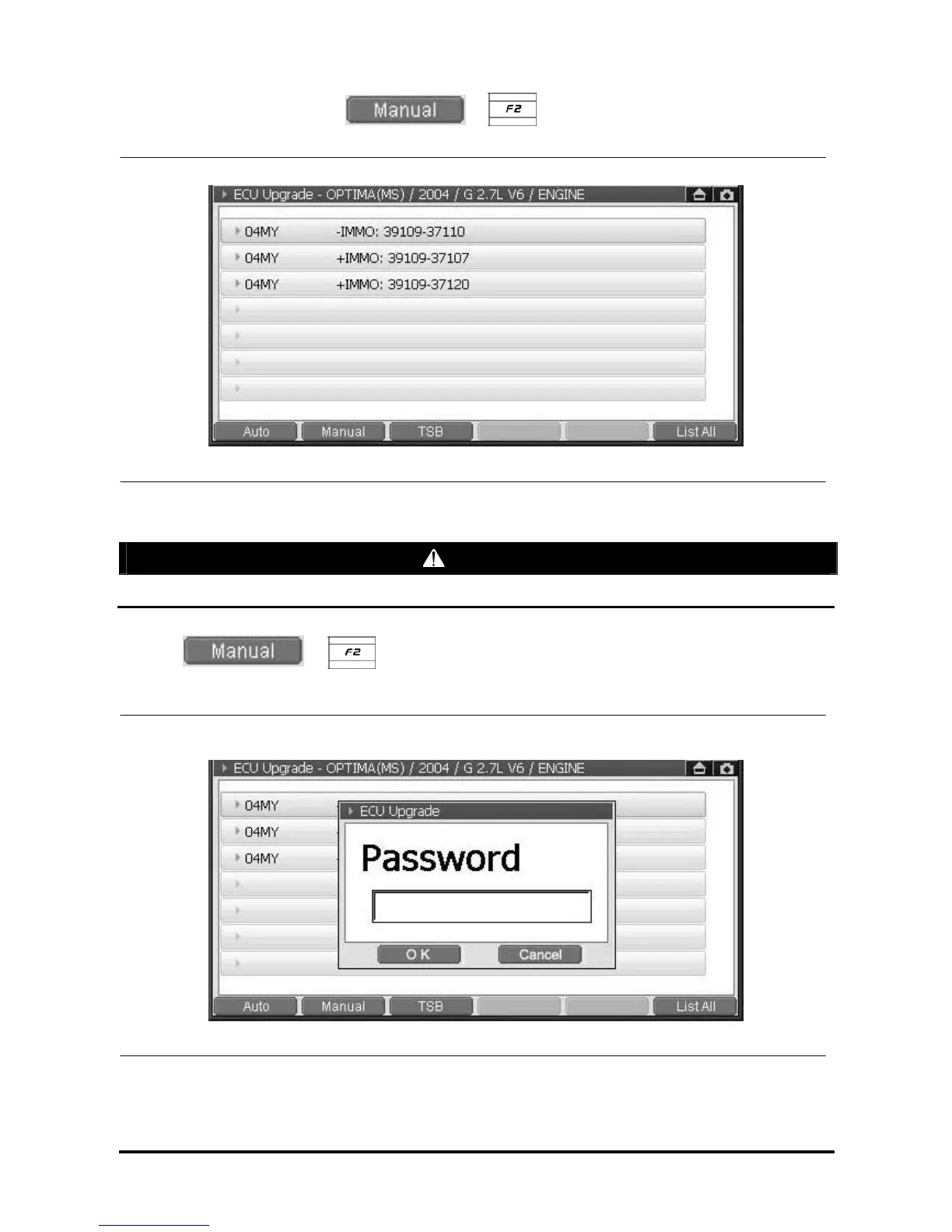
2. After selecting the event, select or button, then the screen will be changed to
the system selection screen as shown in following figure.
<Figure 15: ECU Manual Upgrade – STEP 1>
CAUTION
Please make sure to select compliant system of the vehicle specification.
3. Select or button, then the message window requiring password will be
displayed as following figure.
<Figure 16: ECU Manual Upgrade – STEP 2>



 To Next Page