D439E Service Manual 5. Service Tool
295
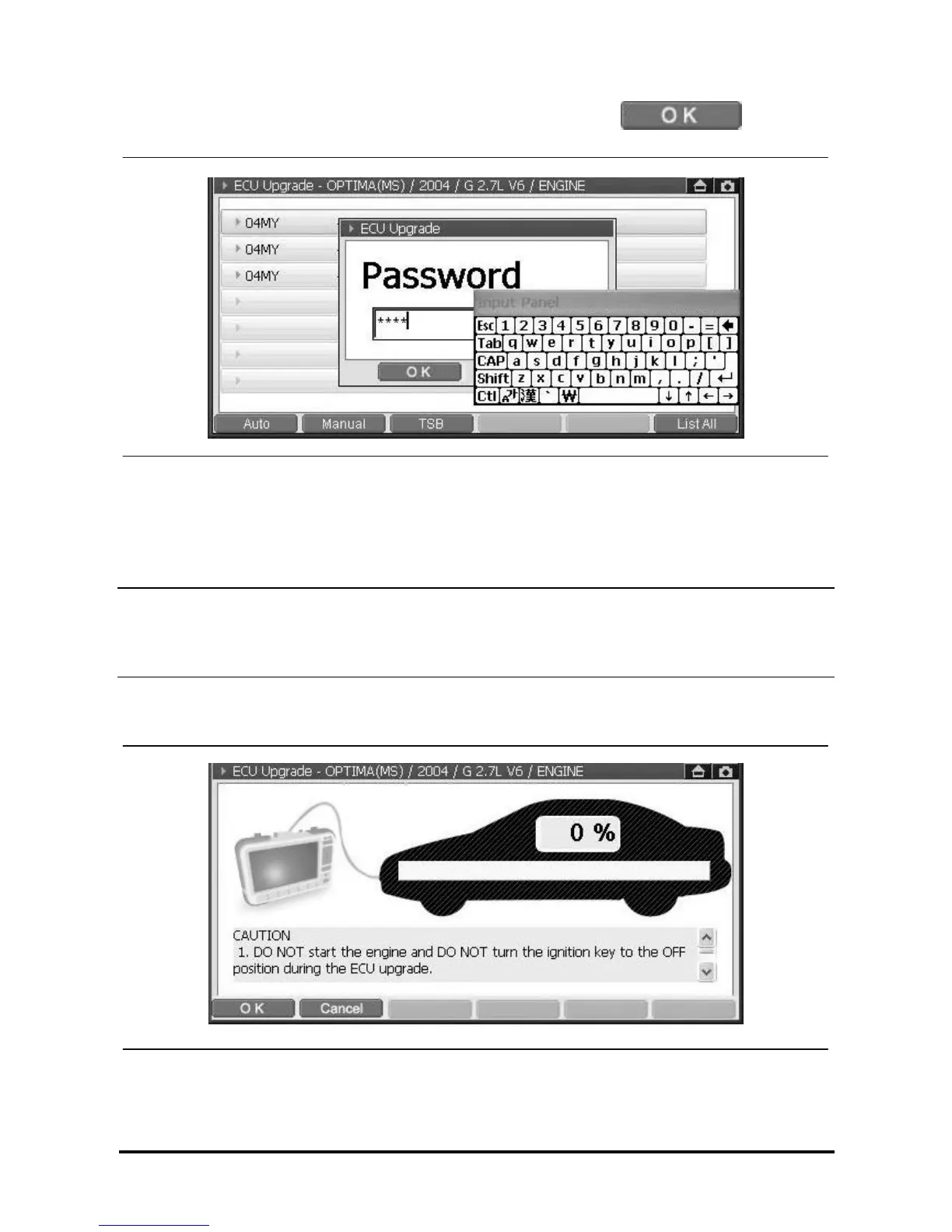
4. After entering the password using the stylus pen as following figure, select at the bottom
of the message window.
<Figure 17: ECU Manual Upgrade – STEP 3>
How to input the password:
① When the cursor move to blank text to prompt input panel.
② To input password in the blank text by the input panel.
NOTE
• If you’d like to move the input panel, to drag the upper-side of input panel to move input panel by stylus pen.
• H/W button does not support to input the password, please use stylus pen only.
5. If the password is correct, the following preparing screen will be displayed.
<Figure 18: ECU Manual Upgrade – STEP 4>



 To Next Page