32
Event Log
1. Viewing the event log:
Once the log is full, any subsequent event overwrites the
oldest entry in the log. Hence, the log always contains the
most recent events. The module logs the alarm, along with
the engine running hours.
Note: For further details of module configuration,
refer to DSE Publication: 057-223 DSE60xx
MKII Configuration Software Manual.
To view the event log, press both (up) and (down)
buttons simultaneously, the navigation menu is then
displayed. Once entered, cycle to the event log ( )
section and enter.
To view the event log, repeatedly press the (up) or
(down) buttons until the LCD screen displays the
desired event.
Continuing to press down the (up) or (down)
buttons cycles through the past alarms after which the
display shows the most recent alarm and the cycle begins
again.
To exit the event log, press the (up) and (down)
buttons simultaneously to enter the navigation menu.
Once entered, cycle to the desired intrunmentation
section.
This module’s event log contains a list of the last 50
recorded events and the engine hours at which they
occurred. The events recorded are customisable via the
DSE Configuration Suite PC Software.
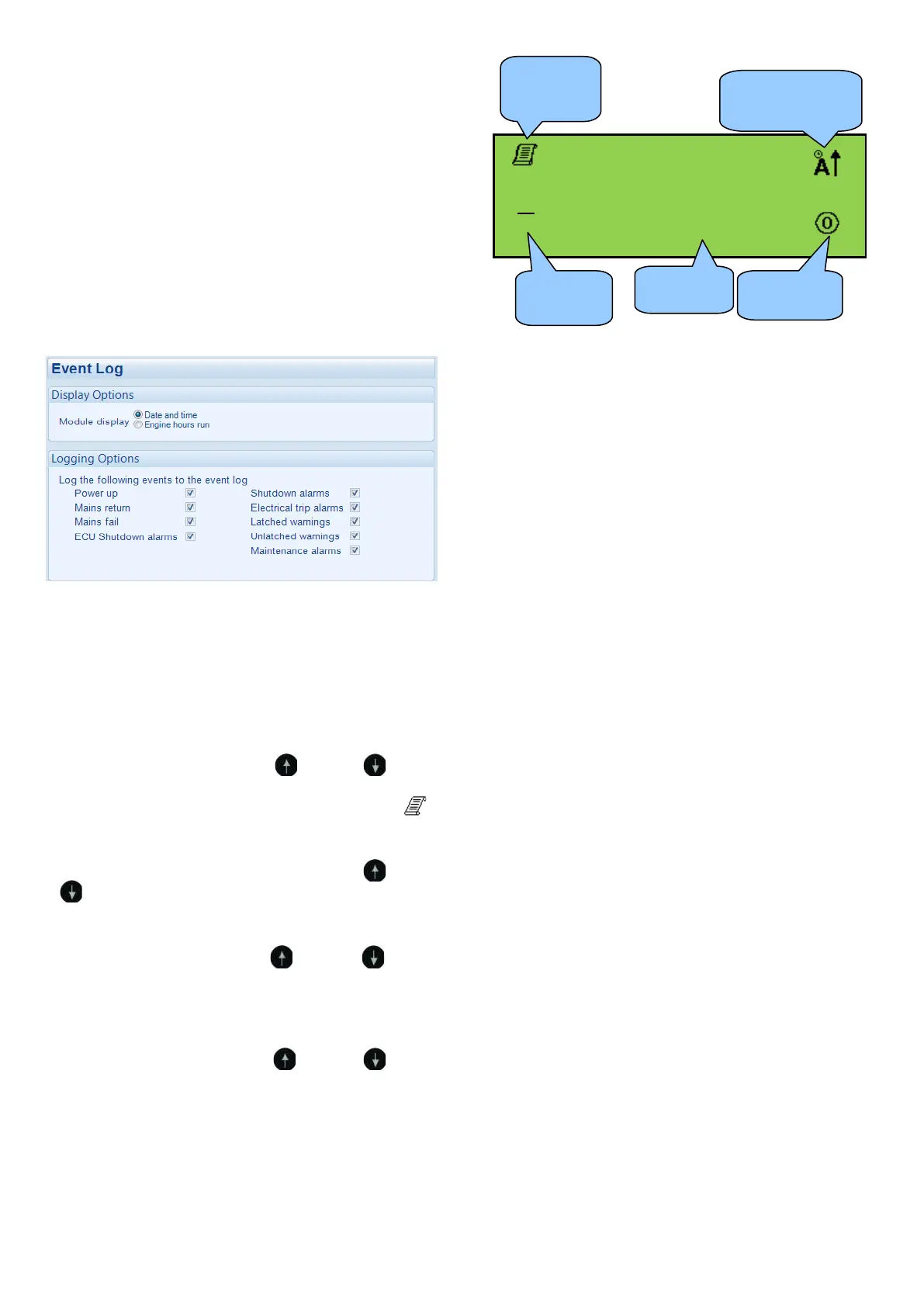
Example below shows the possible configuration of the
event log (DSE Configuration Suite Software). This also
shows the factory settings of the module.
11
50
56
m
Icon to indicate the electrical
trip or shutdown alarm
that has been recorded
Icon to indicate that
the event log is
currently display
Number of event
displayed out
of 50
Current operating
state of the module
The engine hours
at which the event
occurred


 To Next Page