147
7
Exchanging Messages and Using Outlook
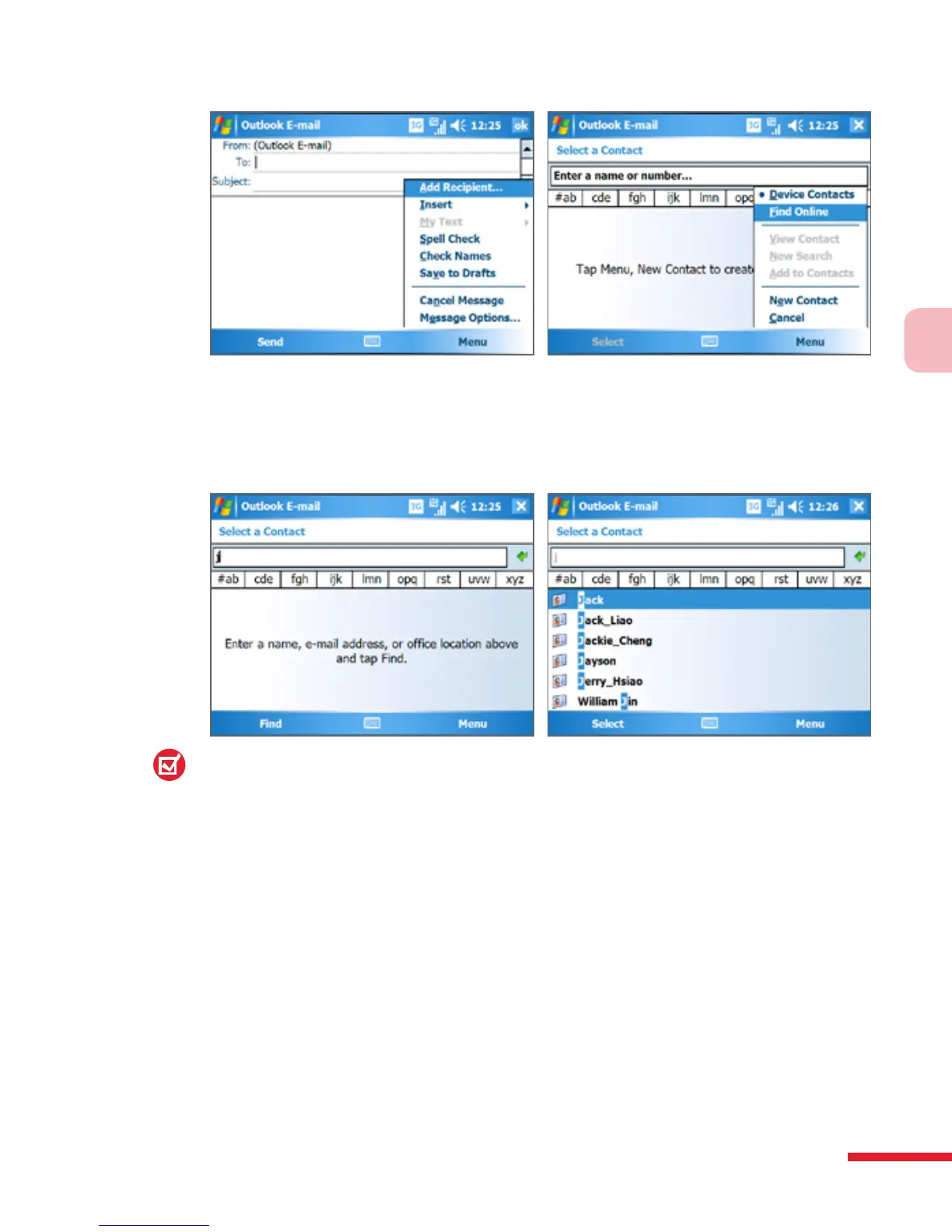
• In a new meeting request using Calendar, tap Attendees and then
tap Menu > Find Online.
4. Enter the part or full contact name and tap Find. Tap Select to choose
the desired contact(s) from the list.
Notes:
• Your device must be set up with a data connection.
• You can search on the following information as long as that information is
included in your organization’s GAL: First name, Last name, E-mail name,
Display name, E-mail address, or Office location.
To send contact information via text messaging
1. Tap Start > Contacts, then select a contact.
2. Tap Menu > Send Contact > Text Messages.
3. Select the contact information you want to send, then tap Done.
4. In the new text message, enter the mobile phone number of the
recipient, then tap Send.



 To Next Page